Clock in with GPS
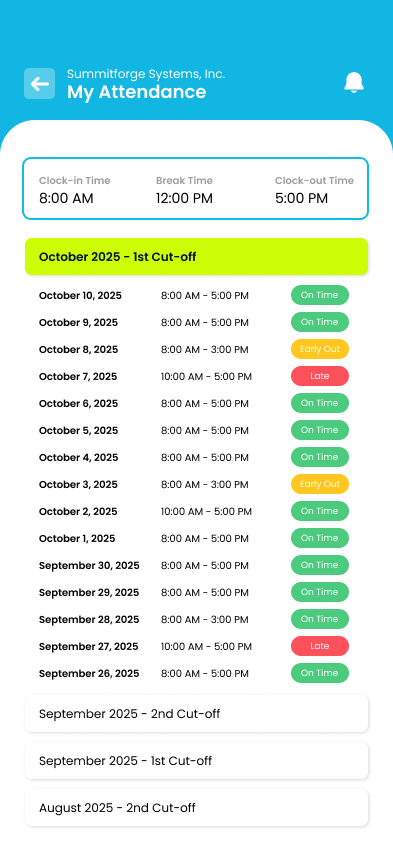
Clock in and out from your phone with your location tagged, and see every on-time, late and early-out day on your attendance log.

Free on Android and iPhone
Clock in with GPS, file leave and overtime, and see your payslips, wherever the workday takes you.
Recommended for your Android phone
Recommended for your iPhone or iPad



On a computer?
Scan this with your phone's camera to get the app there.
Already have an account? Log in on the web

One app for employees, and for the managers who approve their requests.
Clock in and out from your phone with your location tagged, and see every on-time, late and early-out day on your attendance log.
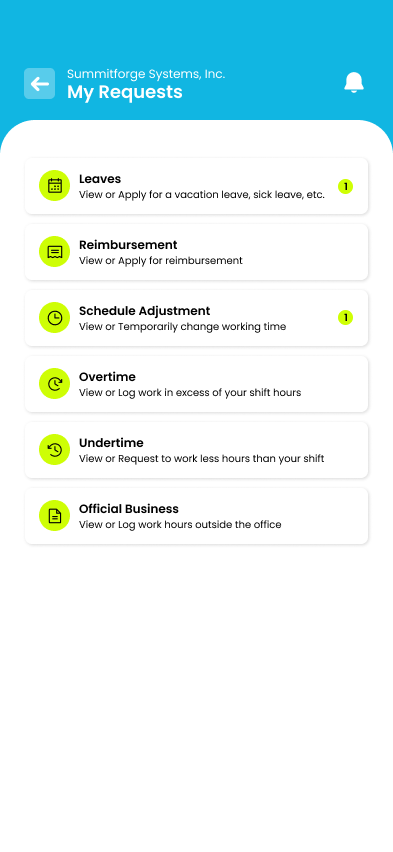
Request leave, overtime, undertime or official business in a few taps, and follow each request until it is approved.
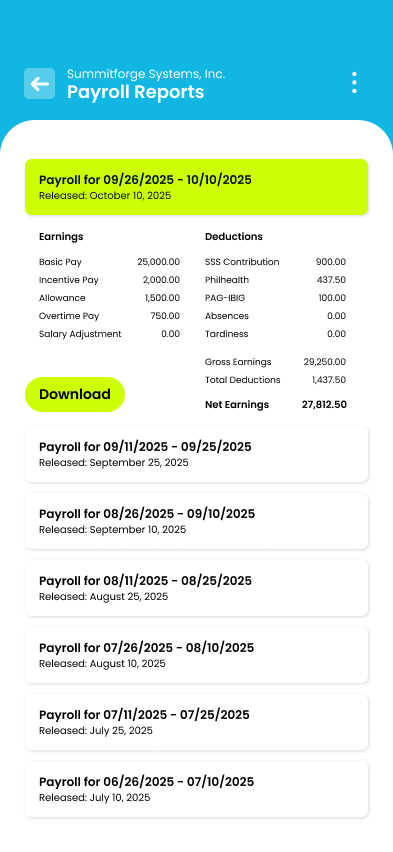
Open every payslip, with your earnings, SSS, PhilHealth and Pag-IBIG deductions and net pay, and download a copy.
Get trellis PH free from Google Play or the App Store.
Use your trellis PH account, the same one you use on the web.
Clock in, file a request or check your latest payslip.
Setting up trellis PH for your company? Book a demo or see the Pricing page.