Book a Demo
Open Workspace Settings & Privacy Help & Support
Features Pricing Jobs Blog FAQ Affiliate Program Log inOpen Workspace Book a Demo
Troubleshooting

I forgot my password. How do I reset it?

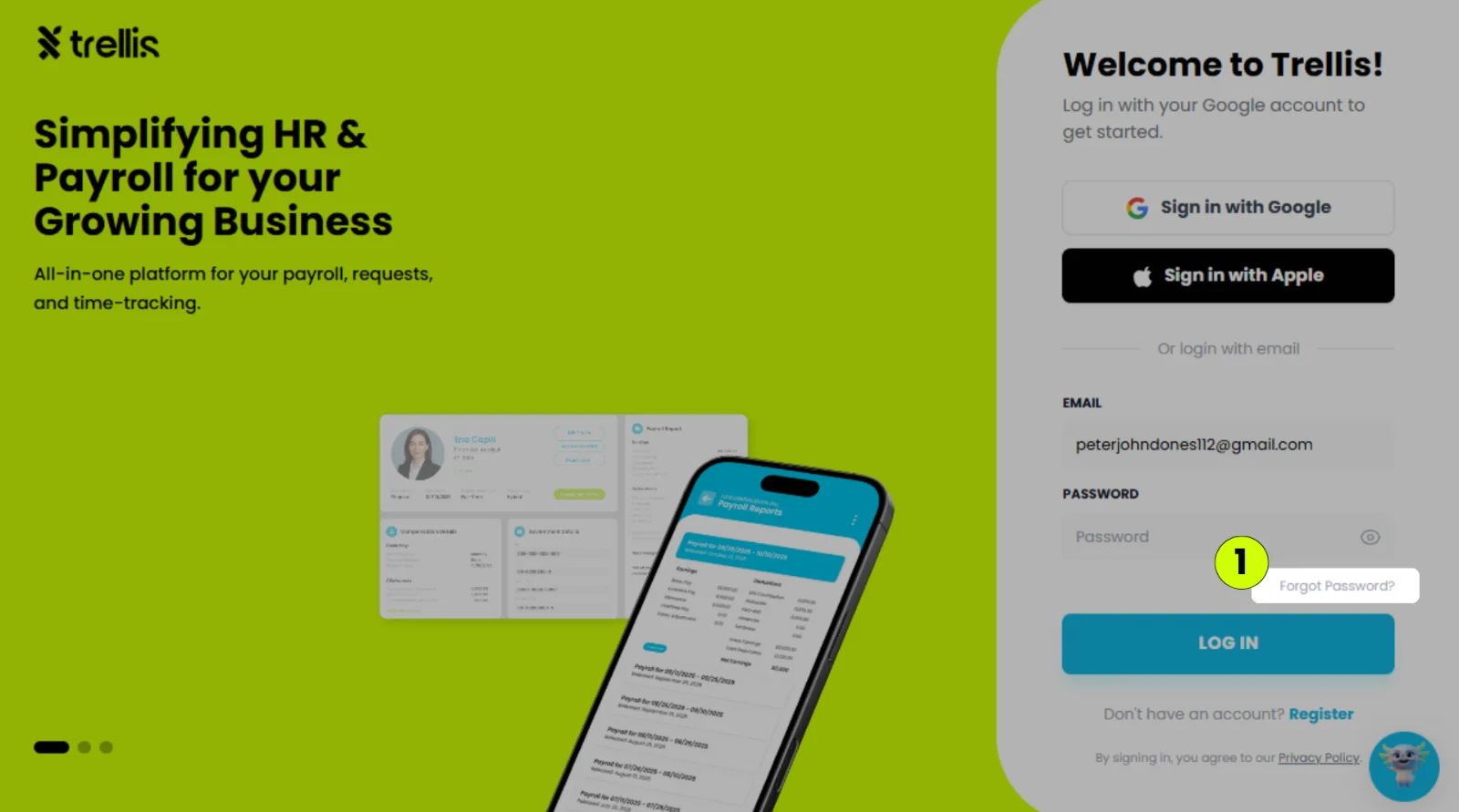
  1. On the login page, click "Forgot Password?"
I forgot my password. How do I reset it?
  1. Enter the email address you sign in with, then click "Send Reset Link."

  2. Open the email titled "Reset your Trellis password" and click "Set a new password."

  3. Enter your new password in both boxes, then click "Update Password."

Other articles in this section

How to Change Your Security PIN I’m Not Receiving Any Verification Email. How Can I Verify My Email? The Employee Didn’t Receive the Invitation The Employee Can’t Log In Why Is My Mobile App Crashing? I’m Getting an Error Message When I Submit a Request
Back to Troubleshooting