Book a Demo
Features Pricing Jobs Blog FAQ Affiliate Program Log inOpen Workspace Book a Demo
Customization

Can I Create Multi-Level Approvals?

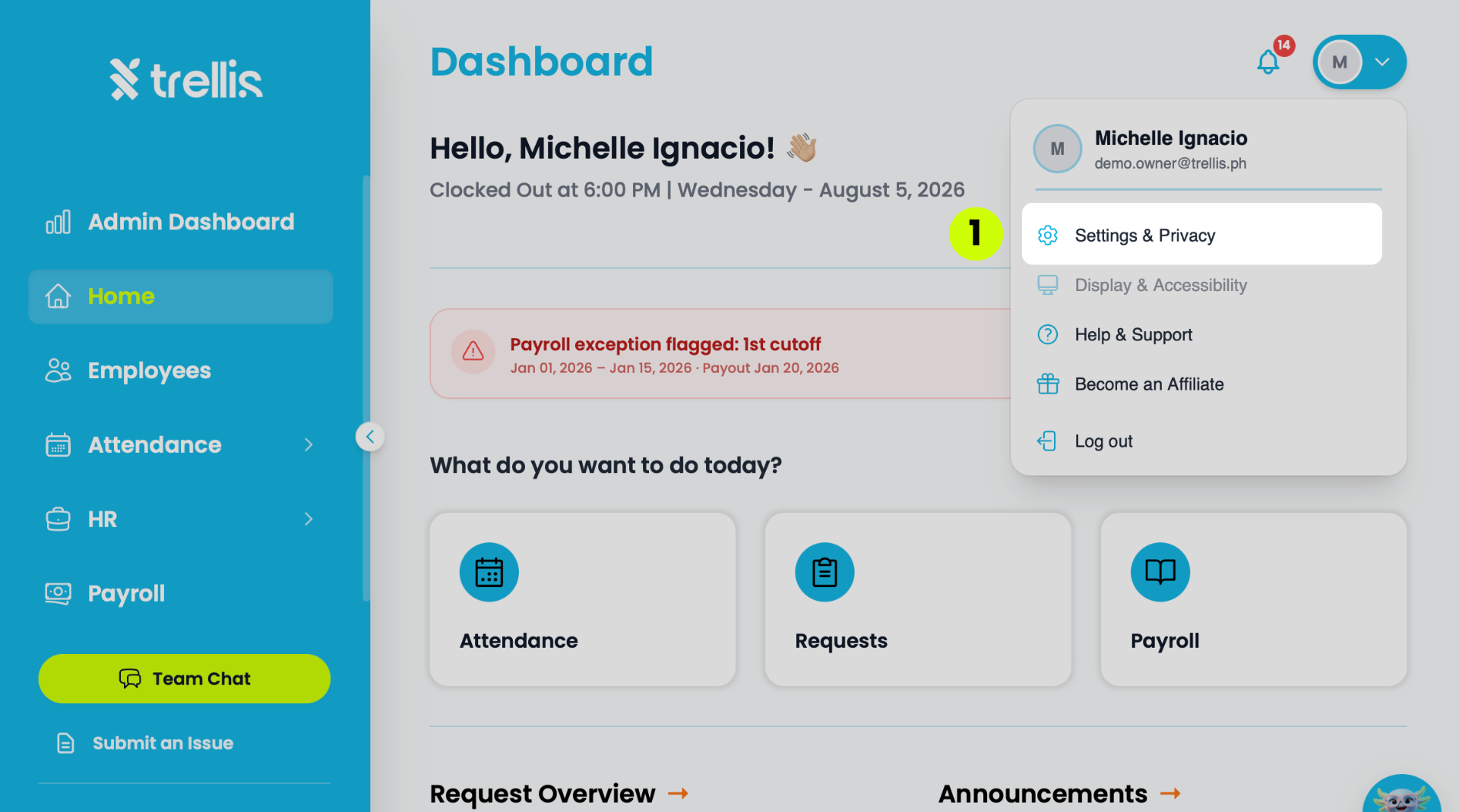
  1. Click your profile icon at the top right, then select “Settings & Privacy”
    Can I Create Multi-Level Approvals?
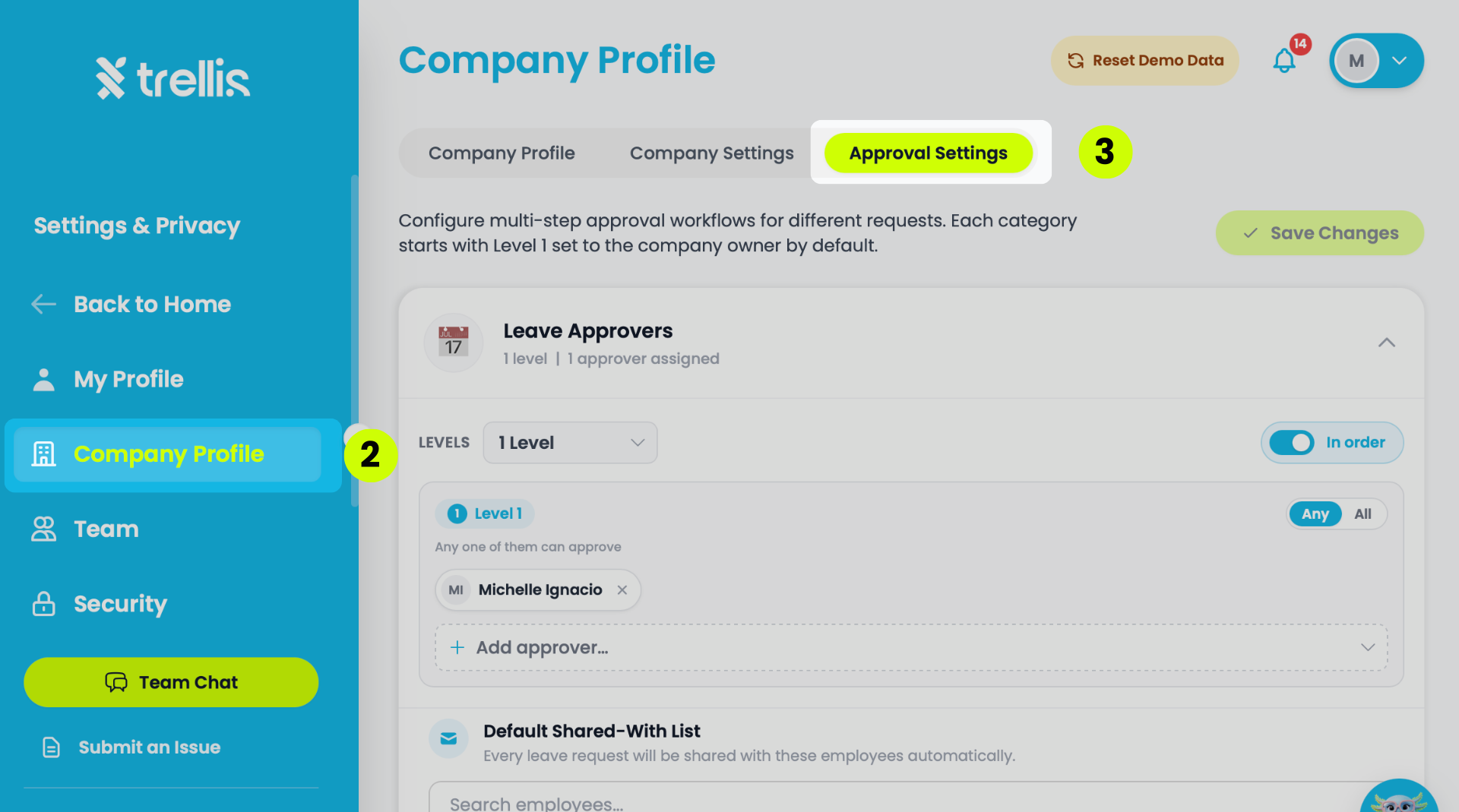
  2. From the sidebar, click "Company Profile" to expand the menu.

  3. Select “Approval Settings”

    Update the Approval Settings by role:

    • Leave Approvers

    • Finance Approvers

    • Shift Approvers 

    • HR Updates Approvers

    Can I Create Multi-Level Approvals?
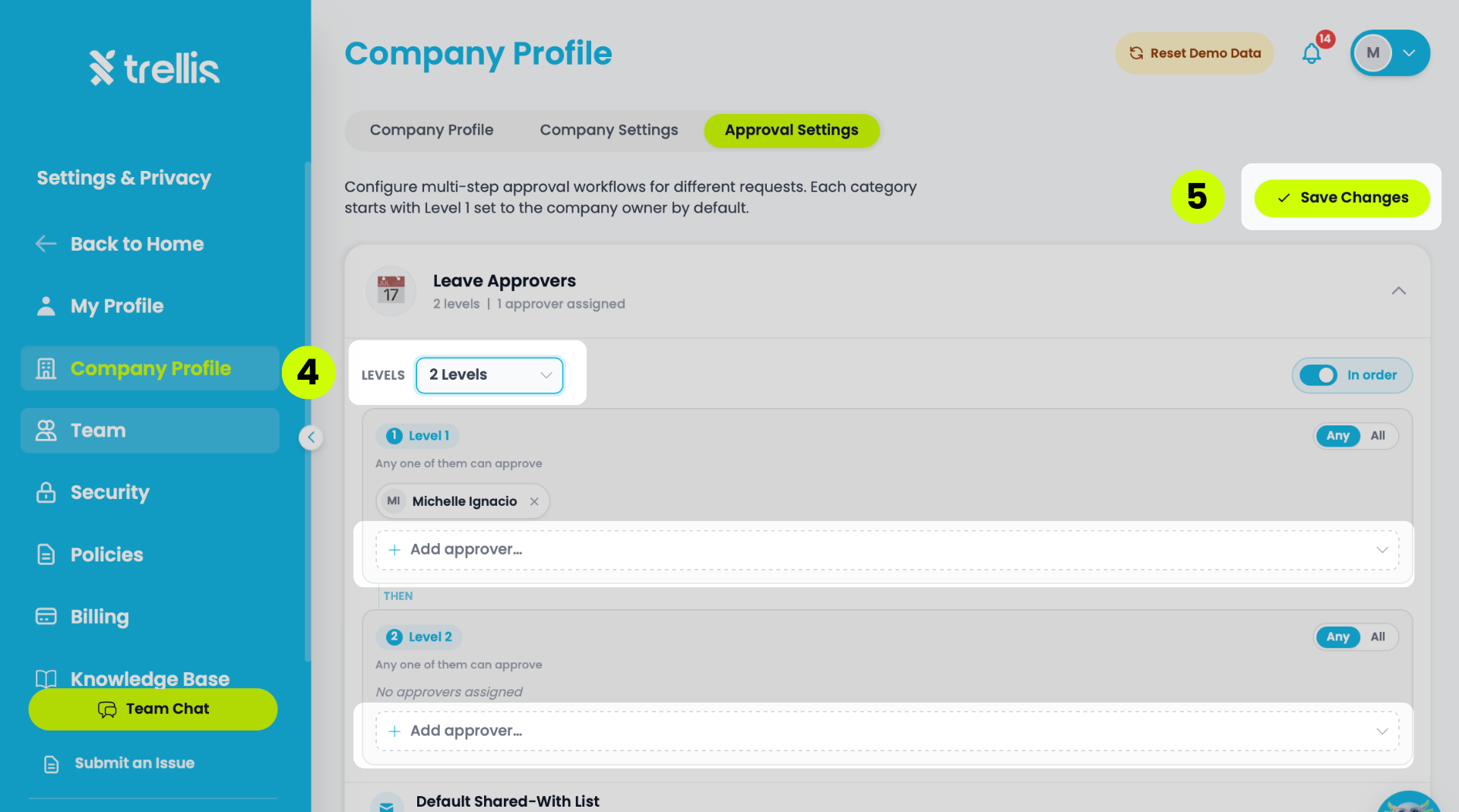
  4. Click the desired assigned role of the employee. Under the dropdown “Levels” select the amount of levels you want and use the “Add approver” dropdown to select the approvers per level. 

  5. Click “Save Changes.”

    Can I Create Multi-Level Approvals?

Other articles in this section

How to Enable Web Push Notifications How can I customize the Admin Dashboard? How to Turn On Notifications for Team Chat? Where Can I Assign Default Approvers? How to Configure Leaves? How to Disable Web Notifications
Back to Customization