How to Disable Web Notifications
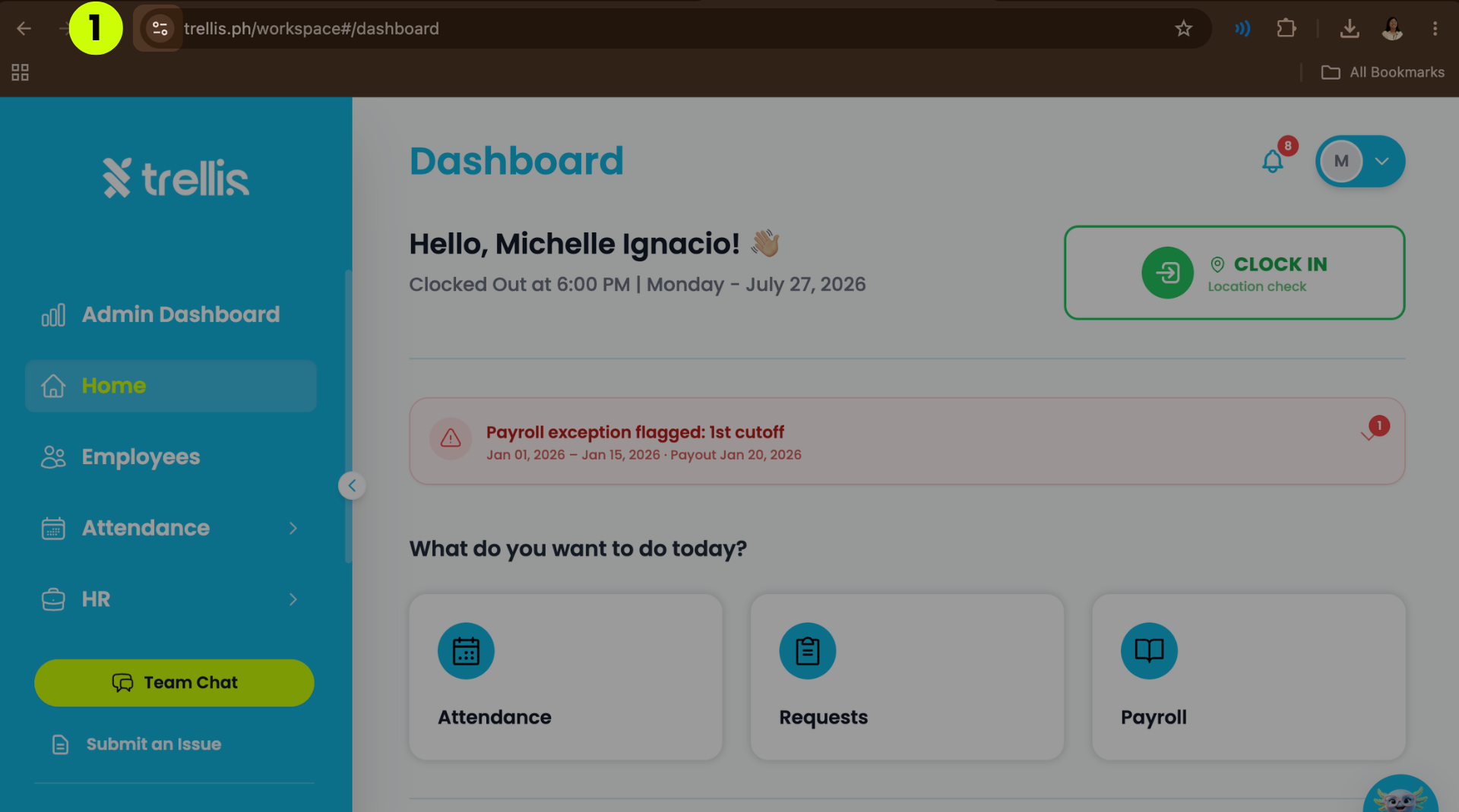
Click the Site Settings button on the upper left corner of the screen to expand the menu.
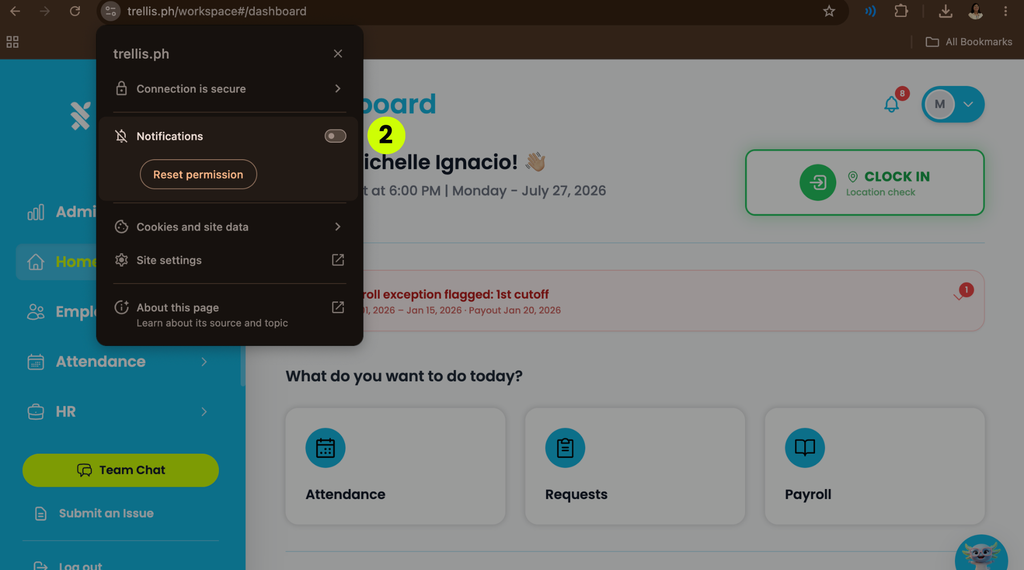
Toggle off the “Notifications” button on the expanded menu.
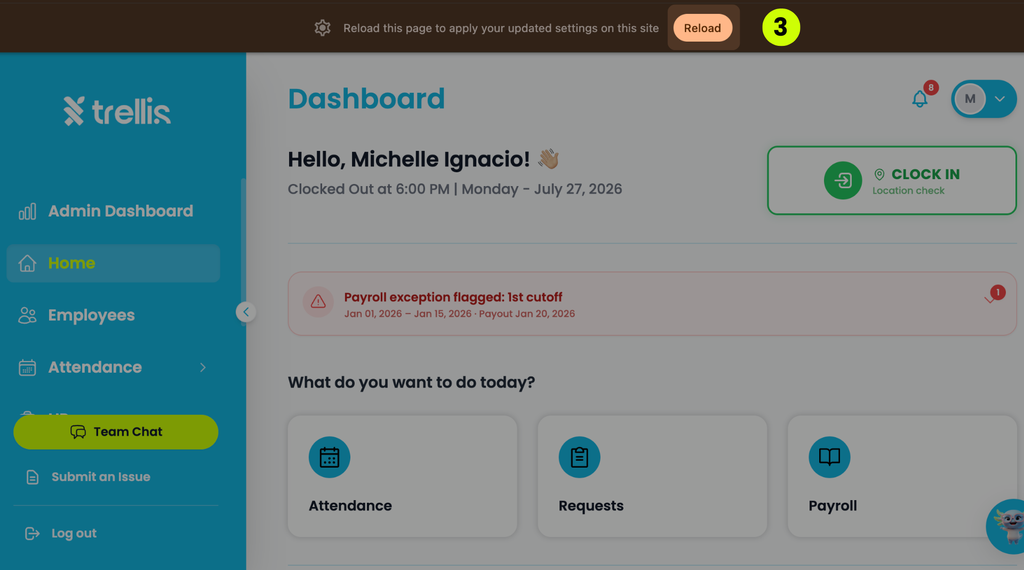
Press “Reload.”

Click the Site Settings button on the upper left corner of the screen to expand the menu.
Toggle off the “Notifications” button on the expanded menu.
Press “Reload.”