
How can I change my password?
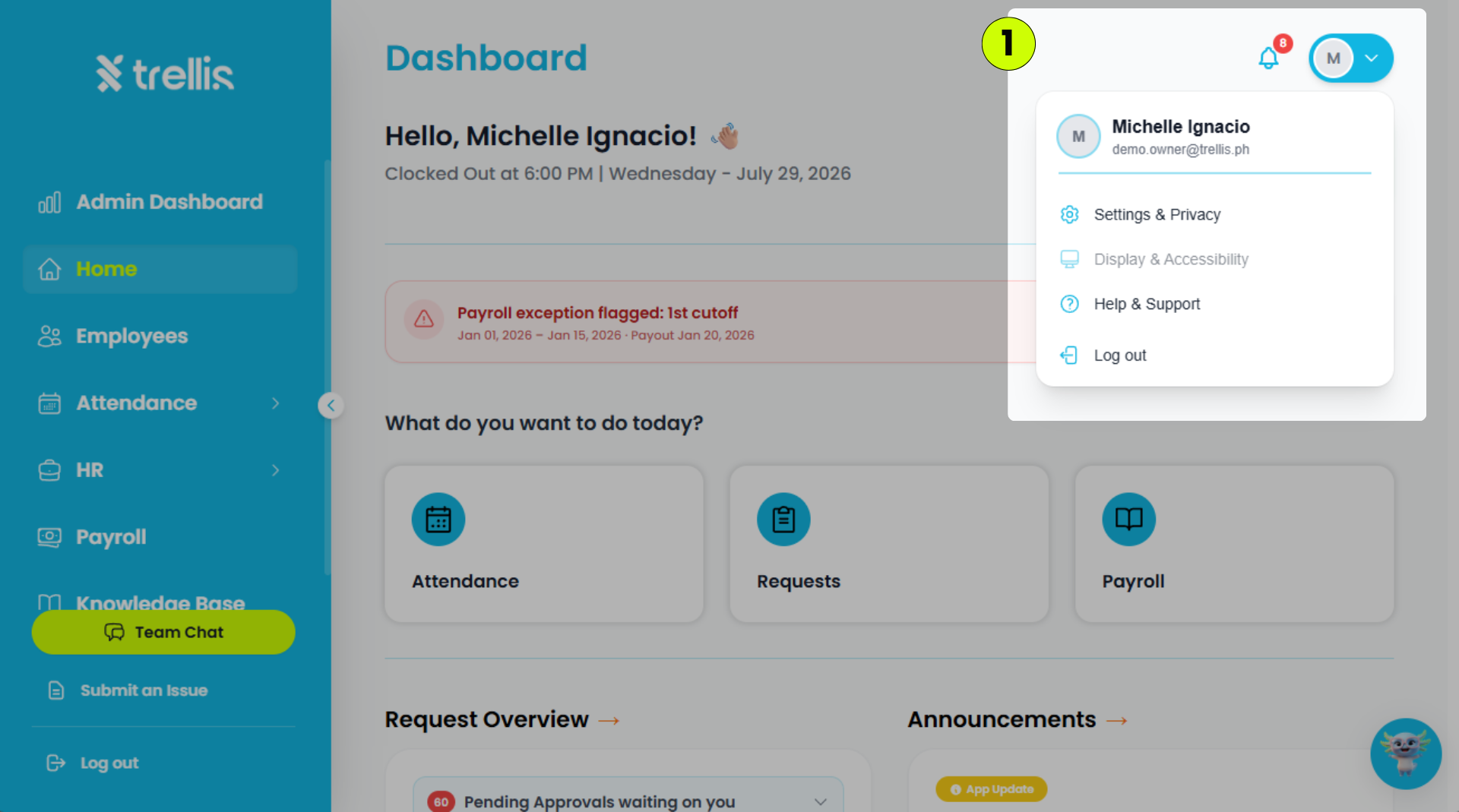
Click your profile icon in the top-right corner, then select "Settings & Privacy."
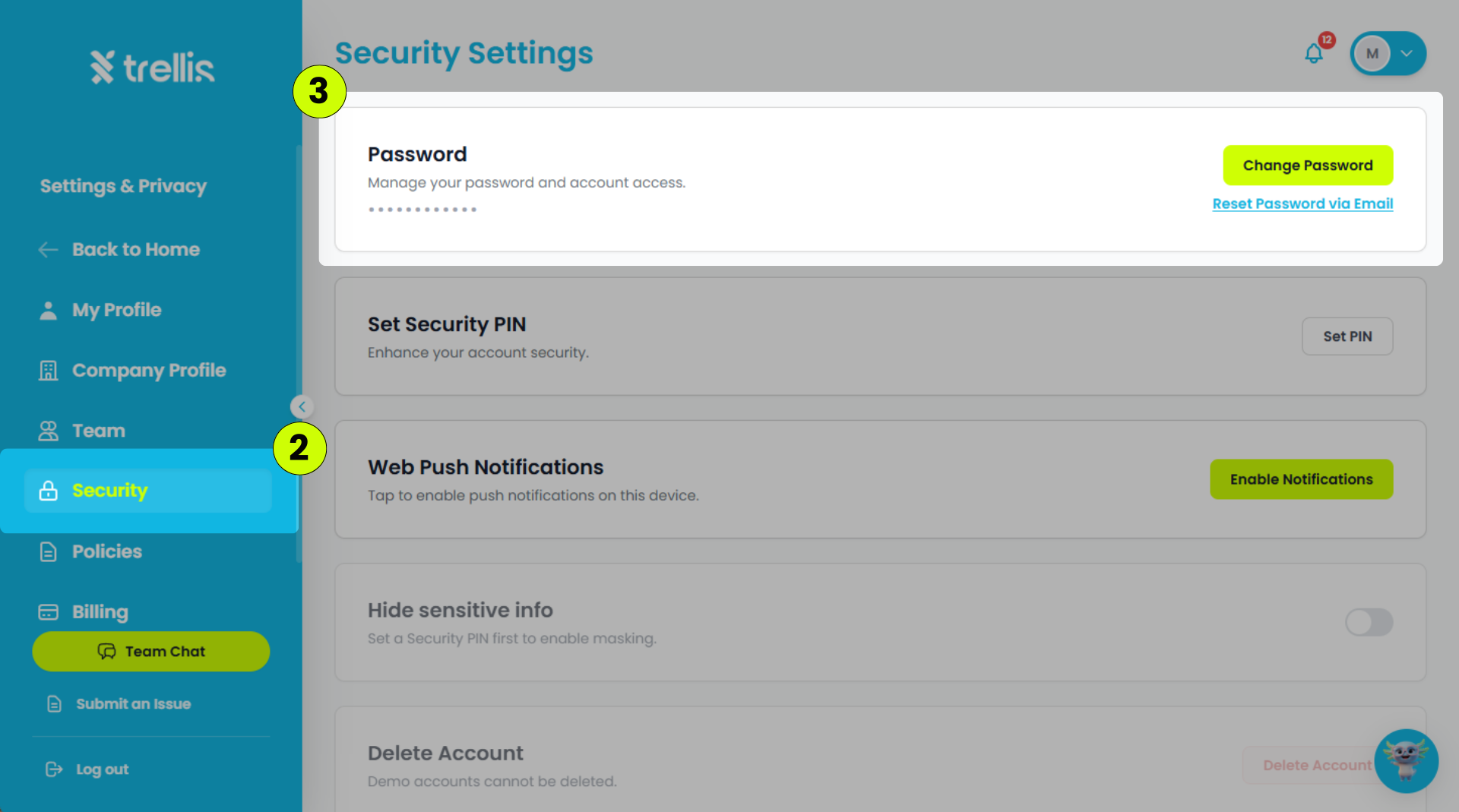
Click the "Security" in menu tab.
In the Password section, click "Change Password."
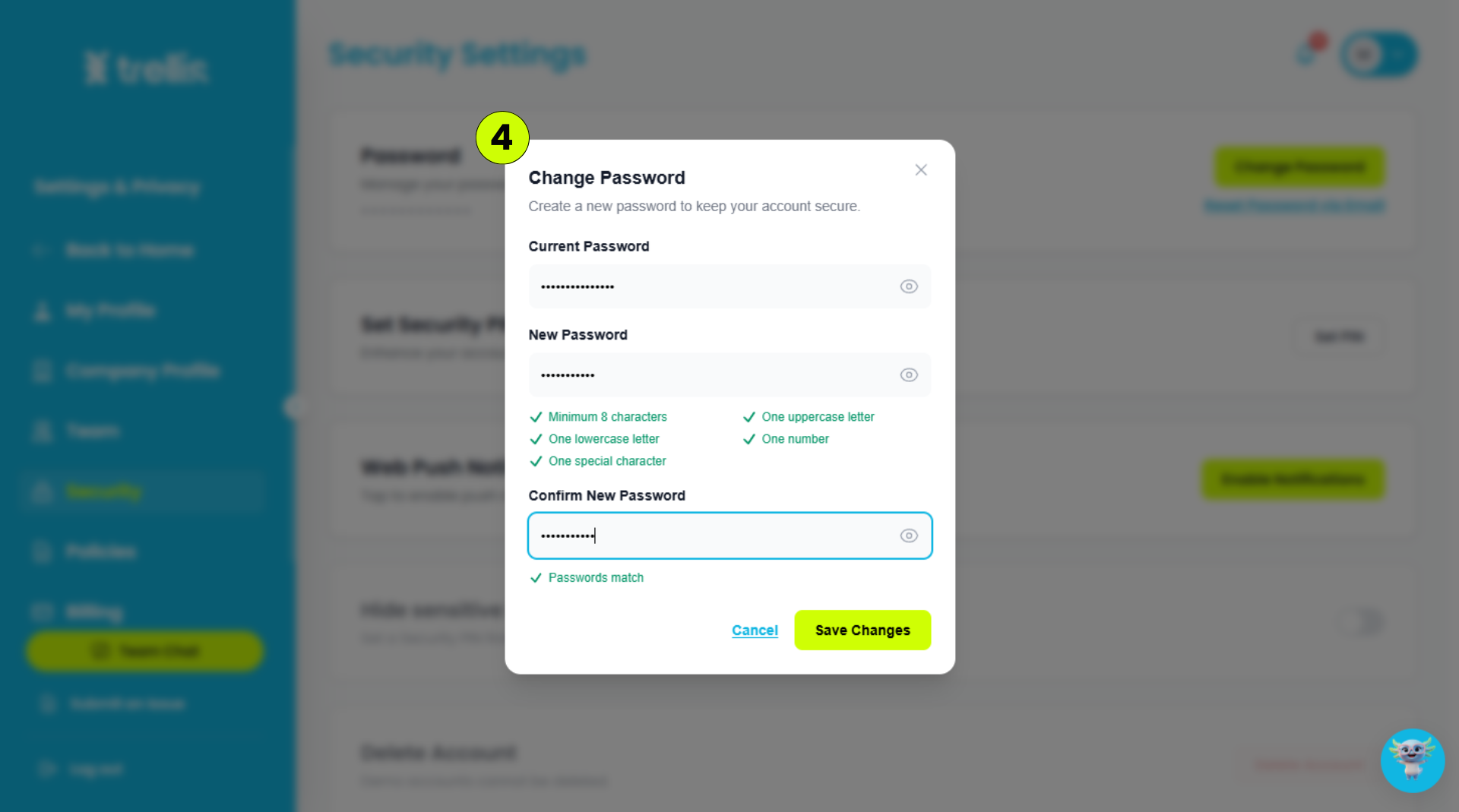
Enter the following information, then click "Save Changes."
Current Password – Your current account password.
New Password – The new password you want to use.
Confirm New Password – Re-enter your new password to confirm it.
Note: If you have forgotten your password, click "Reset Password via Email" to receive a password reset link in your email.