
Book a Demo
Features Pricing Jobs Blog FAQ Affiliate Program Log inOpen Workspace Book a Demo
Employee Management

Can I Deactivate an Employee Profile?

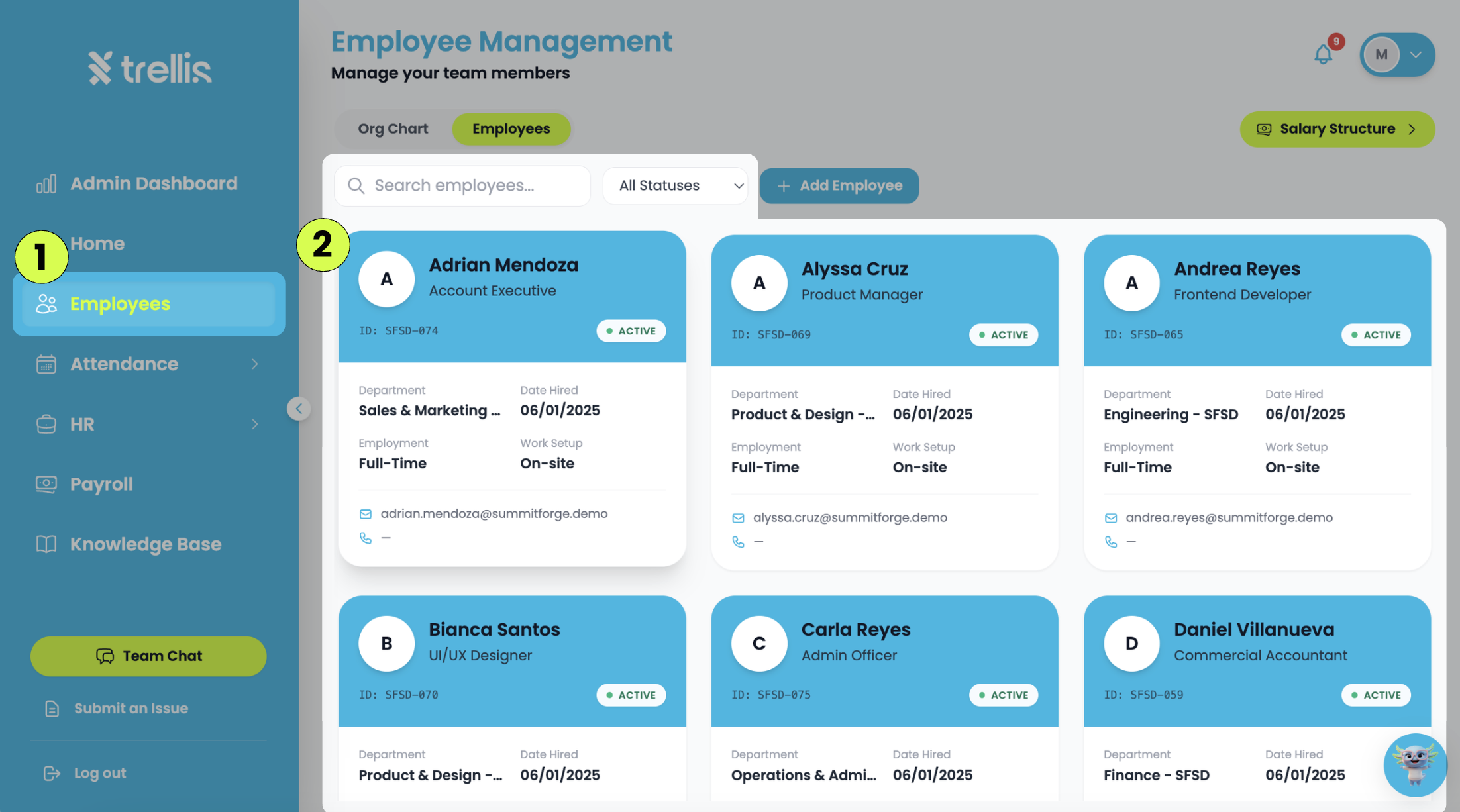
  1. From the sidebar, click "Employees."

  2. Search for the employee, then select their employee card.
Can I Deactivate an Employee Profile?
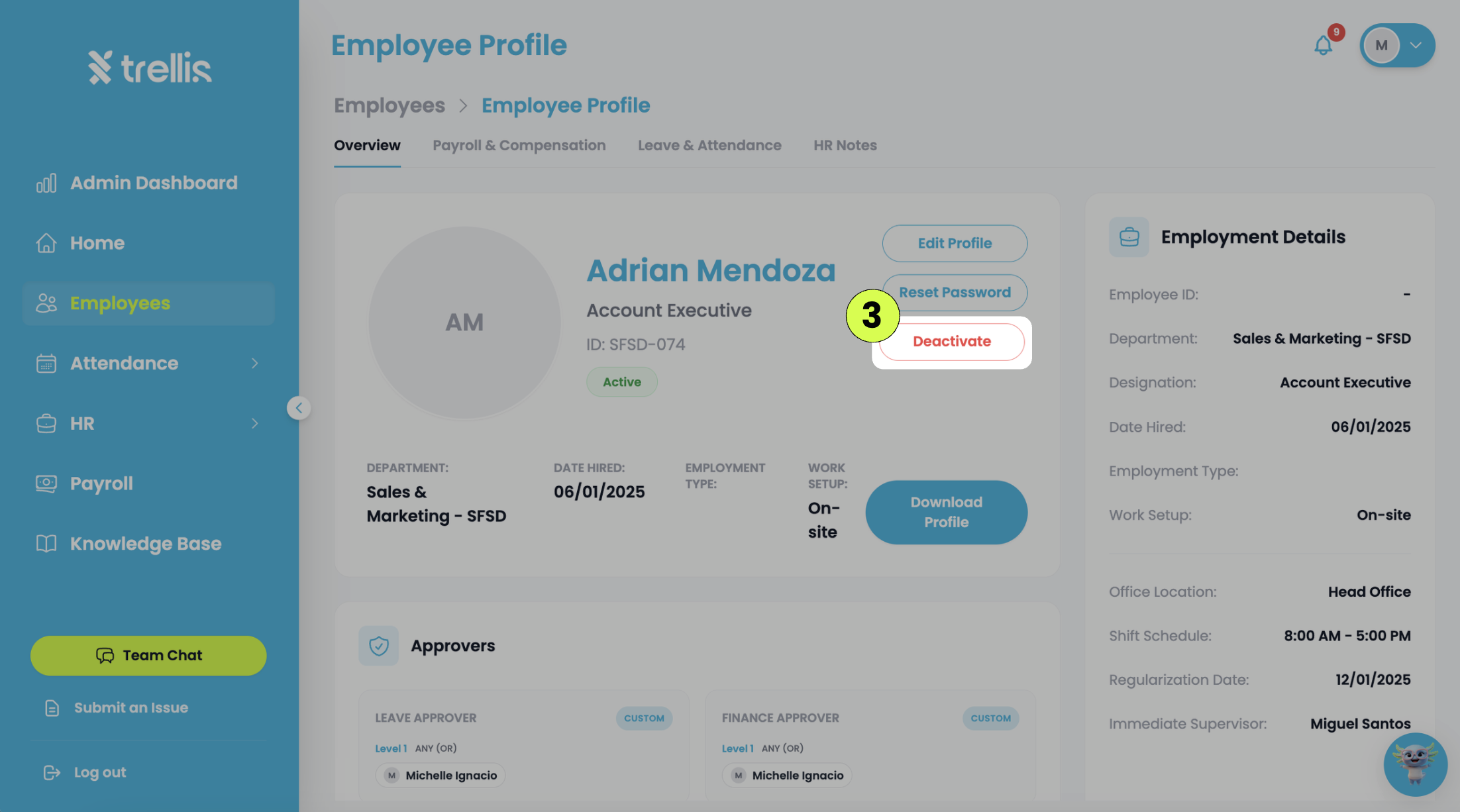
  1. On the employee profile page, click "Deactivate."
Can I Deactivate an Employee Profile?
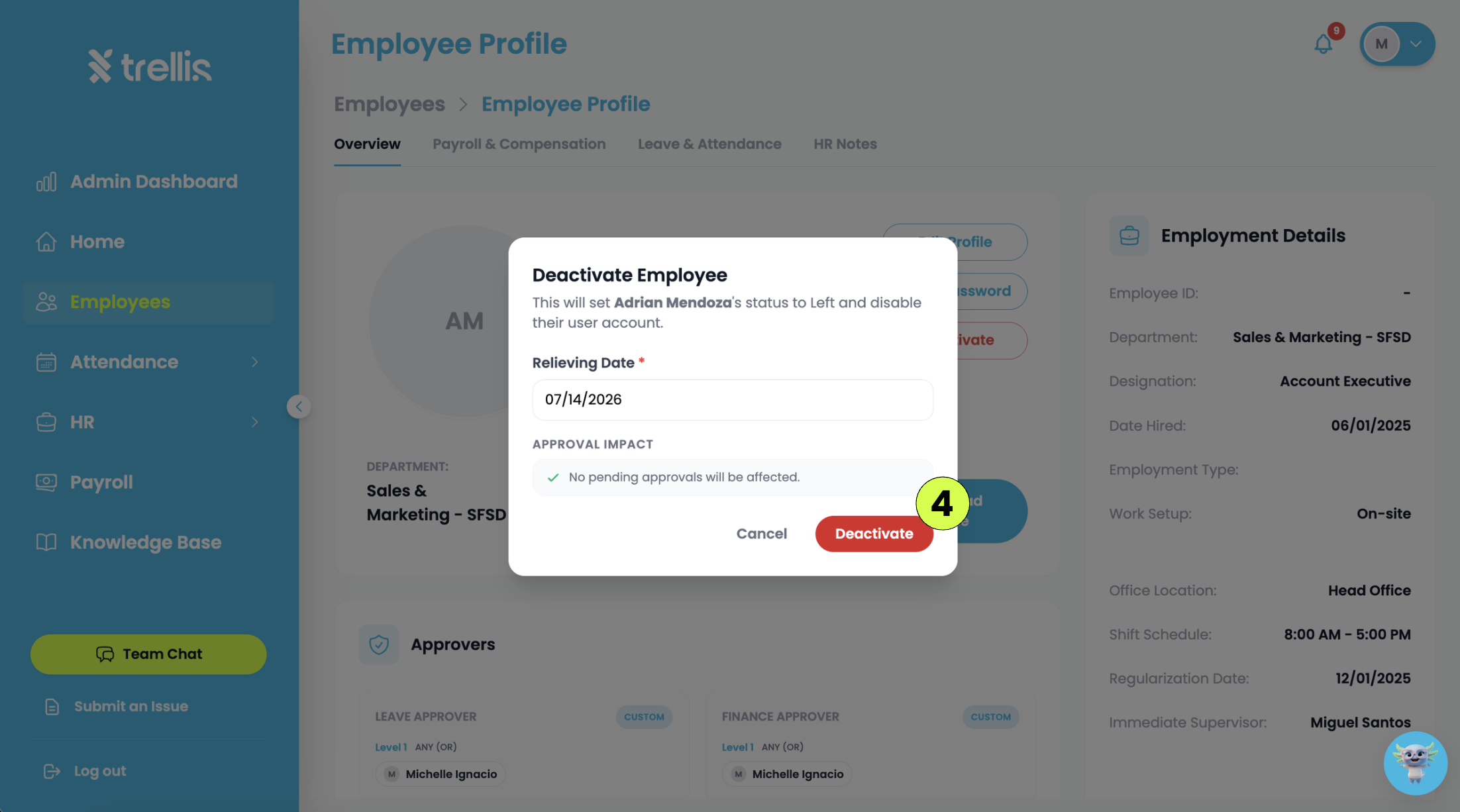
  1. Enter the employee's “Relieving Date”, then click “Deactivate” to confirm.
Can I Deactivate an Employee Profile?

Other articles in this section

Where Can I View Employee Records? How to Add a Widget to the Admin Dashboard How to Create an Announcement How to Track Employee Leave and Attendance How to Update Your Government Details and Emergency Contact How to Cancel Invite
Back to Employee Management