
Book a Demo
Features Pricing Jobs Blog FAQ Affiliate Program Log inOpen Workspace Book a Demo
Employee Management

How Can I Update My Own Government Details & Emergency Contact?

  1. Click your profile icon at the top right, then select Settings & Privacy.
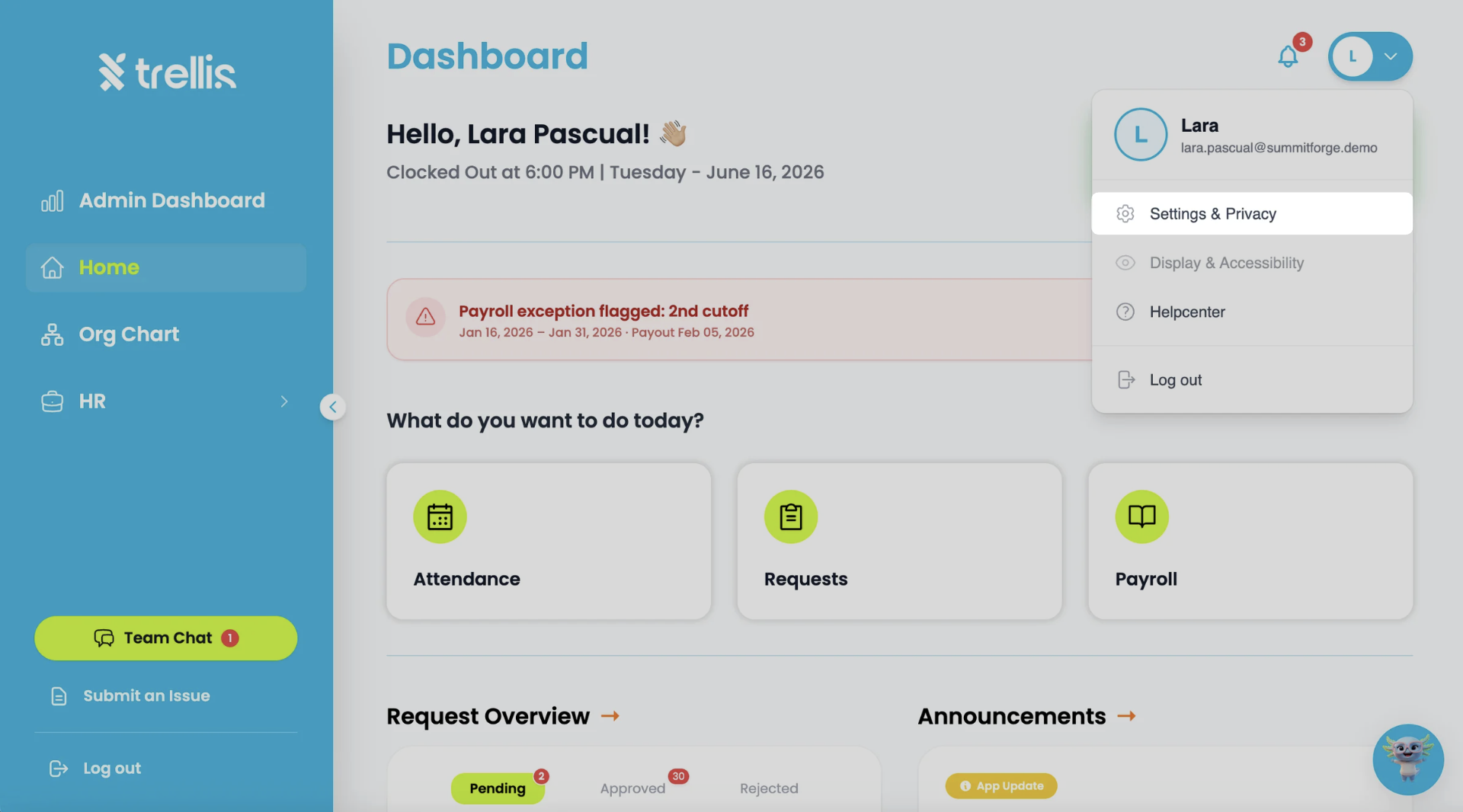
    How Can I Update My Own Government Details & Emergency Contact?
  2. On the My Profile page, click "Edit" to enable profile editing.
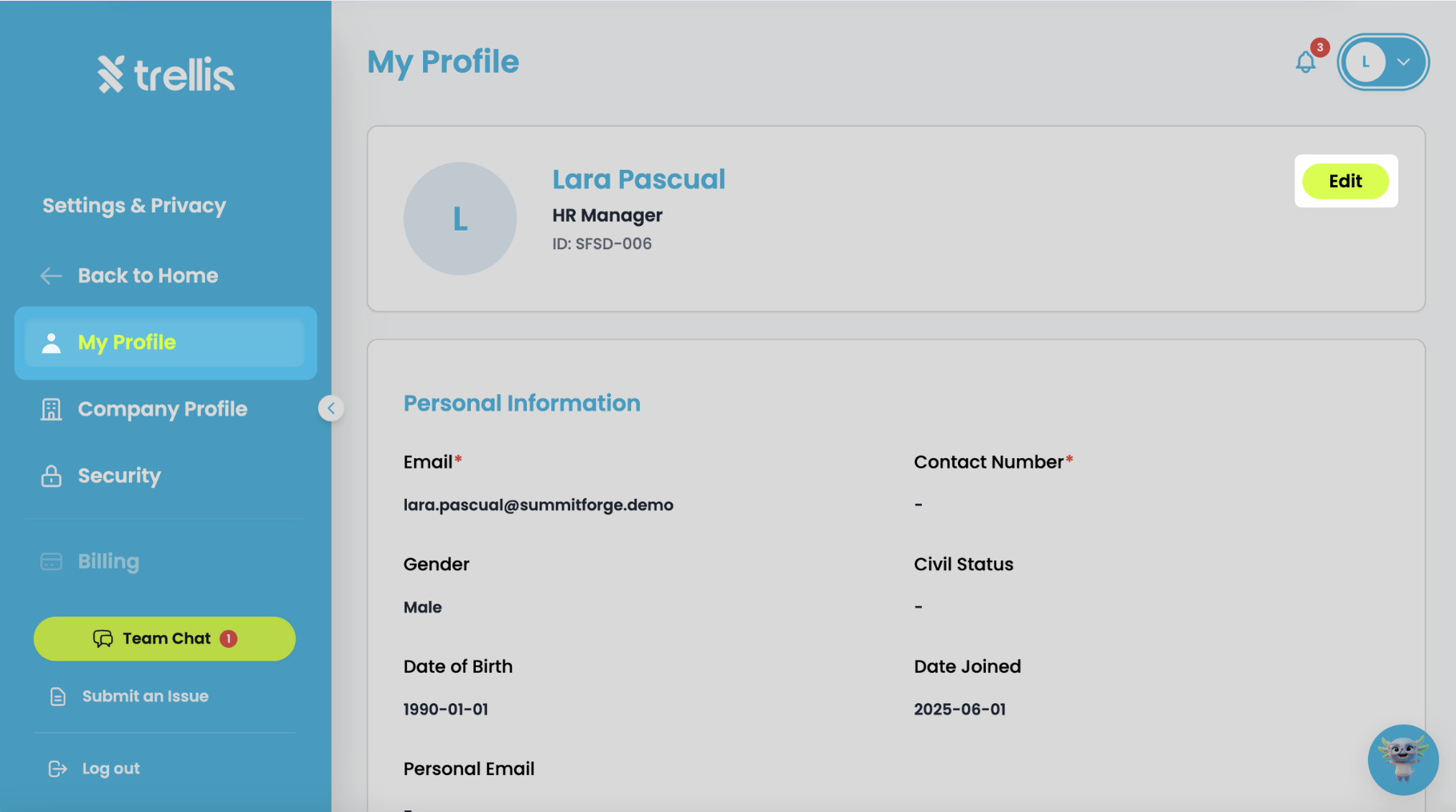
    How Can I Update My Own Government Details & Emergency Contact?
  3. Scroll down to the Government Details and Emergency Contact sections, update the necessary information, then click "Save" to apply your changes.
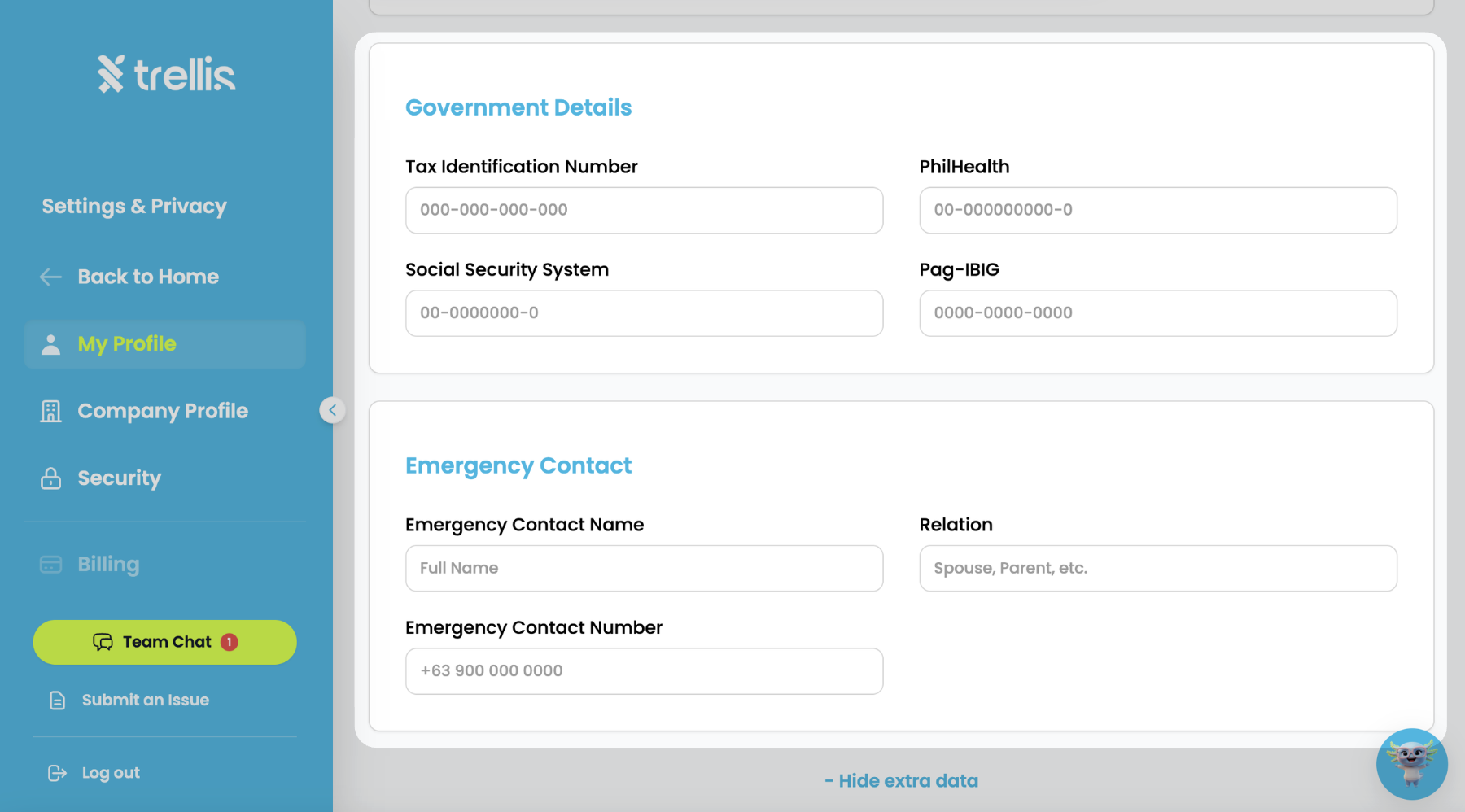
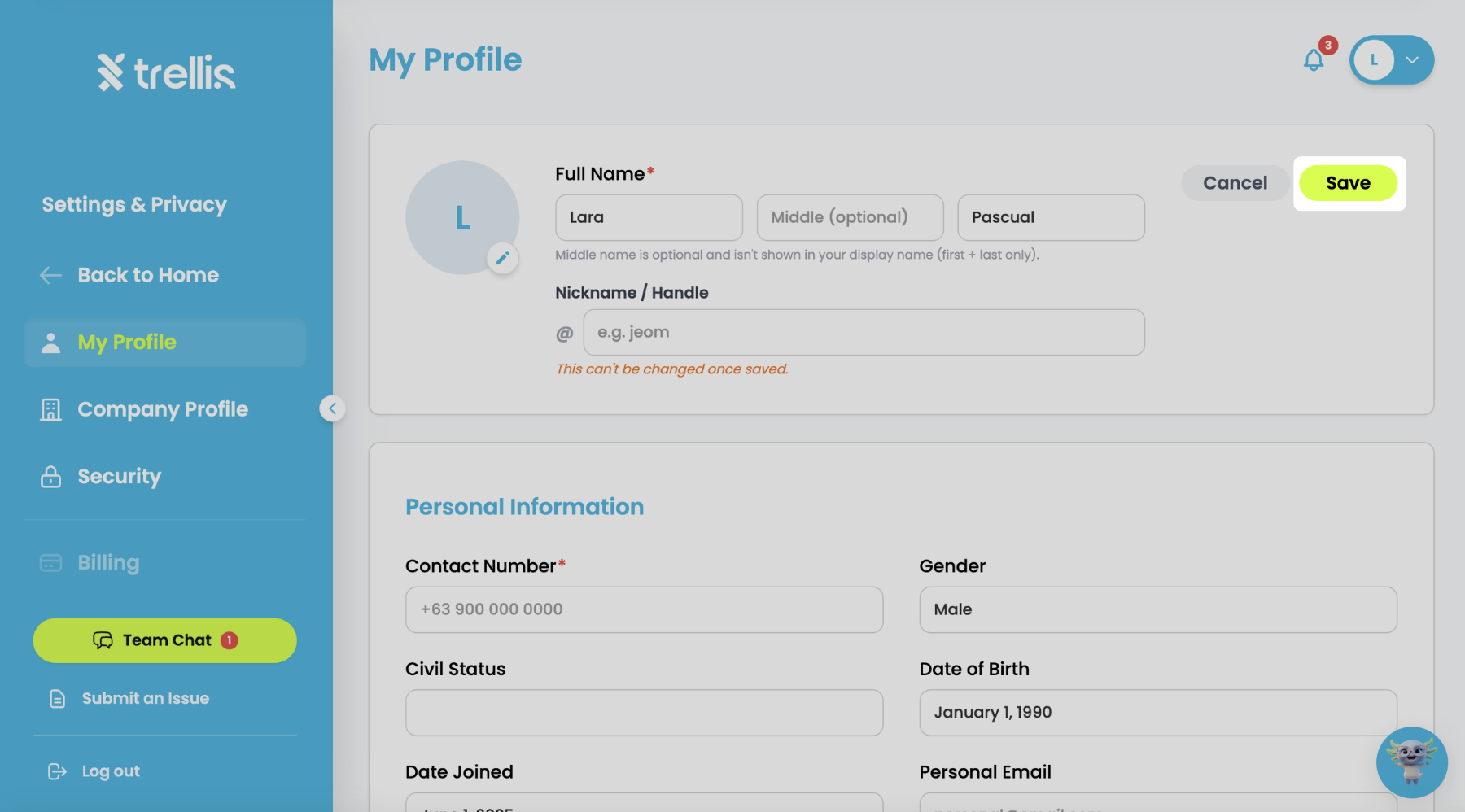
    How Can I Update My Own Government Details & Emergency Contact?How Can I Update My Own Government Details & Emergency Contact?

Other articles in this section

Where Can I View Employee Records? How to Add a Widget to the Admin Dashboard How to Create an Announcement How to Track Employee Leave and Attendance How to Update Your Government Details and Emergency Contact How to Cancel Invite
Back to Employee Management