Book a Demo
Open Workspace Settings & Privacy Help & Support
Features Pricing Jobs Blog FAQ Affiliate Program Log inOpen Workspace Book a Demo
Employee Management

How to Add a Widget to the Admin Dashboard

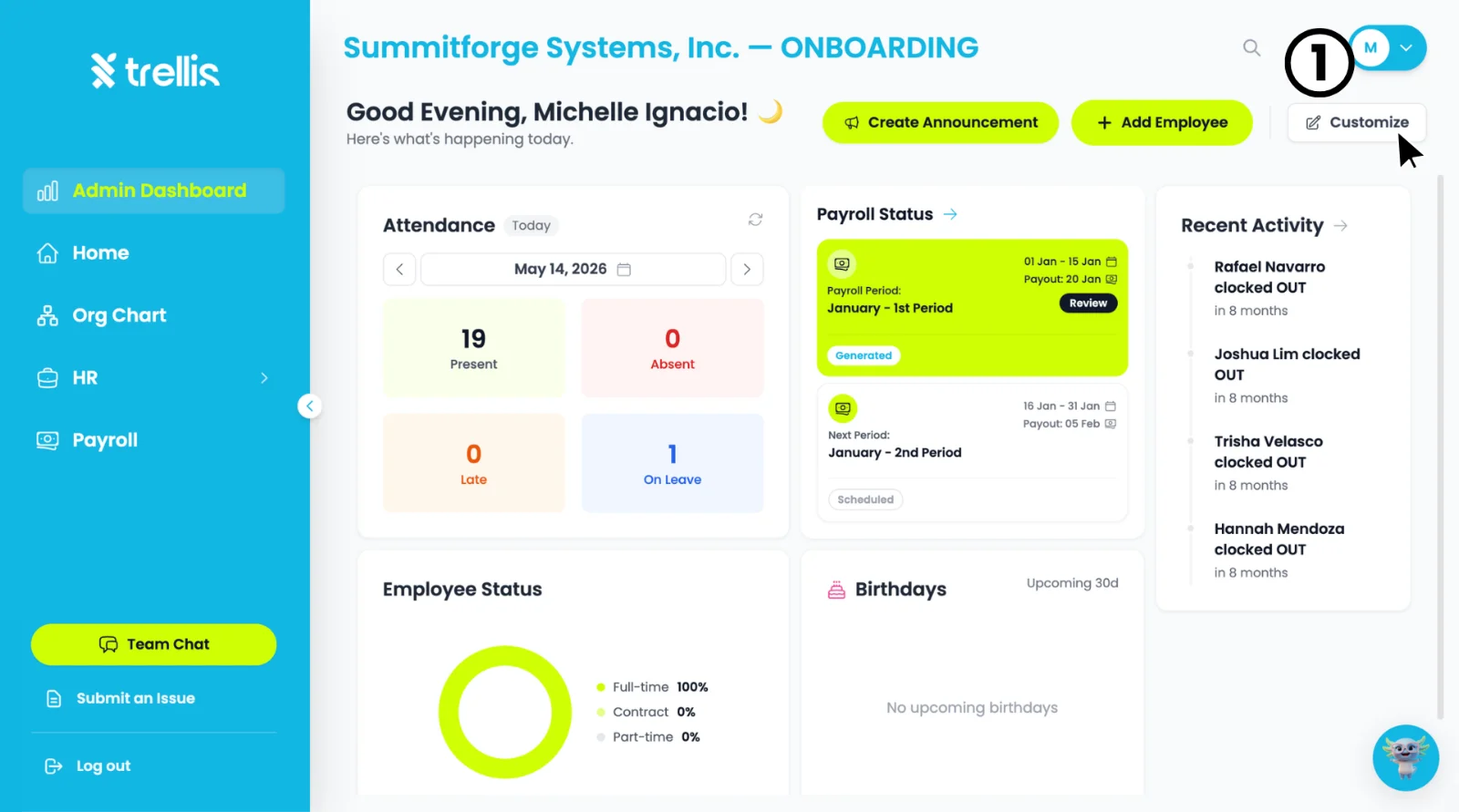
  1. From the "Admin Dashboard", click the "Customize" button at the top right of the page to enter edit mode.
How to Add a Widget to the Admin Dashboard
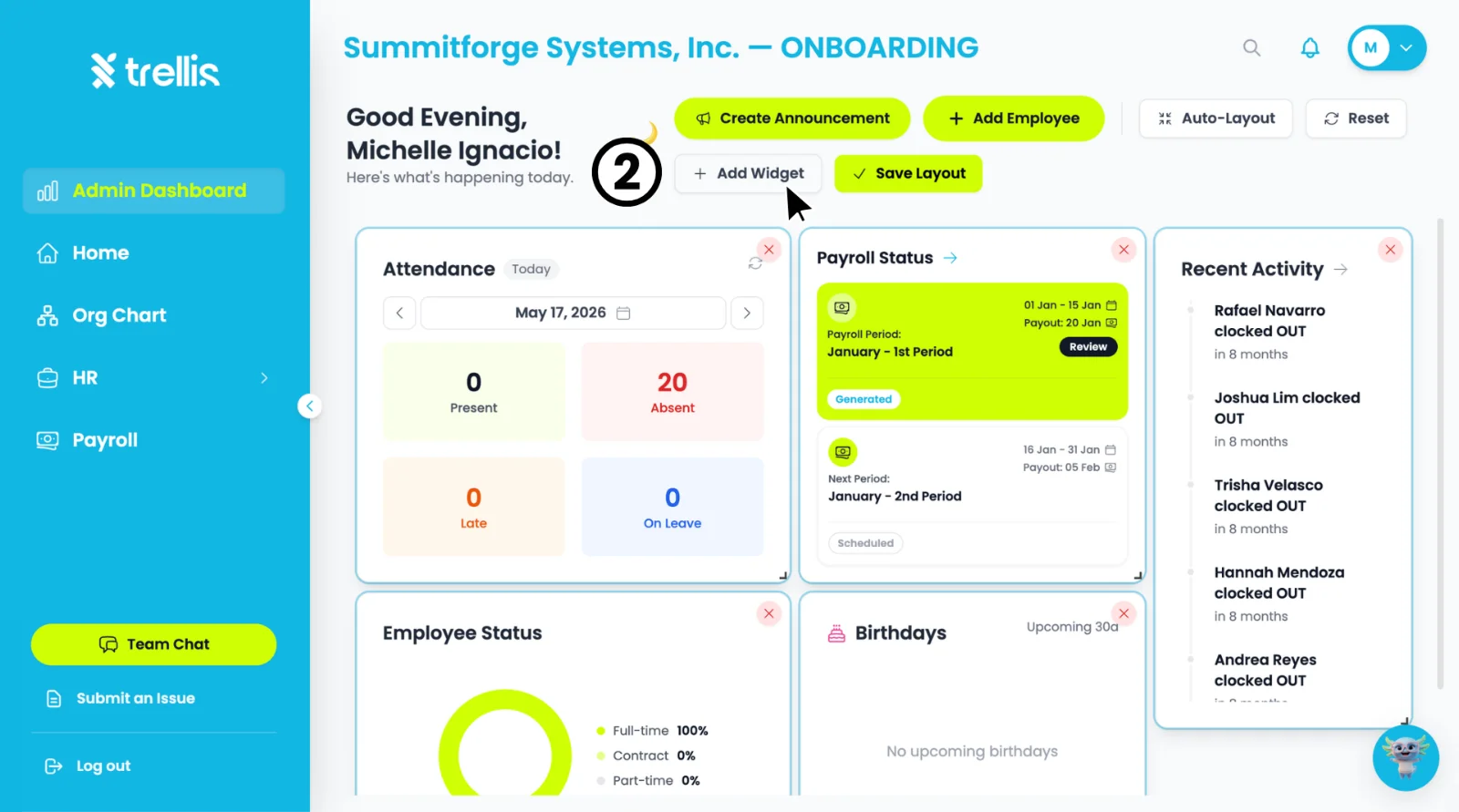
  1. Click the "+ Add Widget" button that appears in the toolbar.
How to Add a Widget to the Admin Dashboard
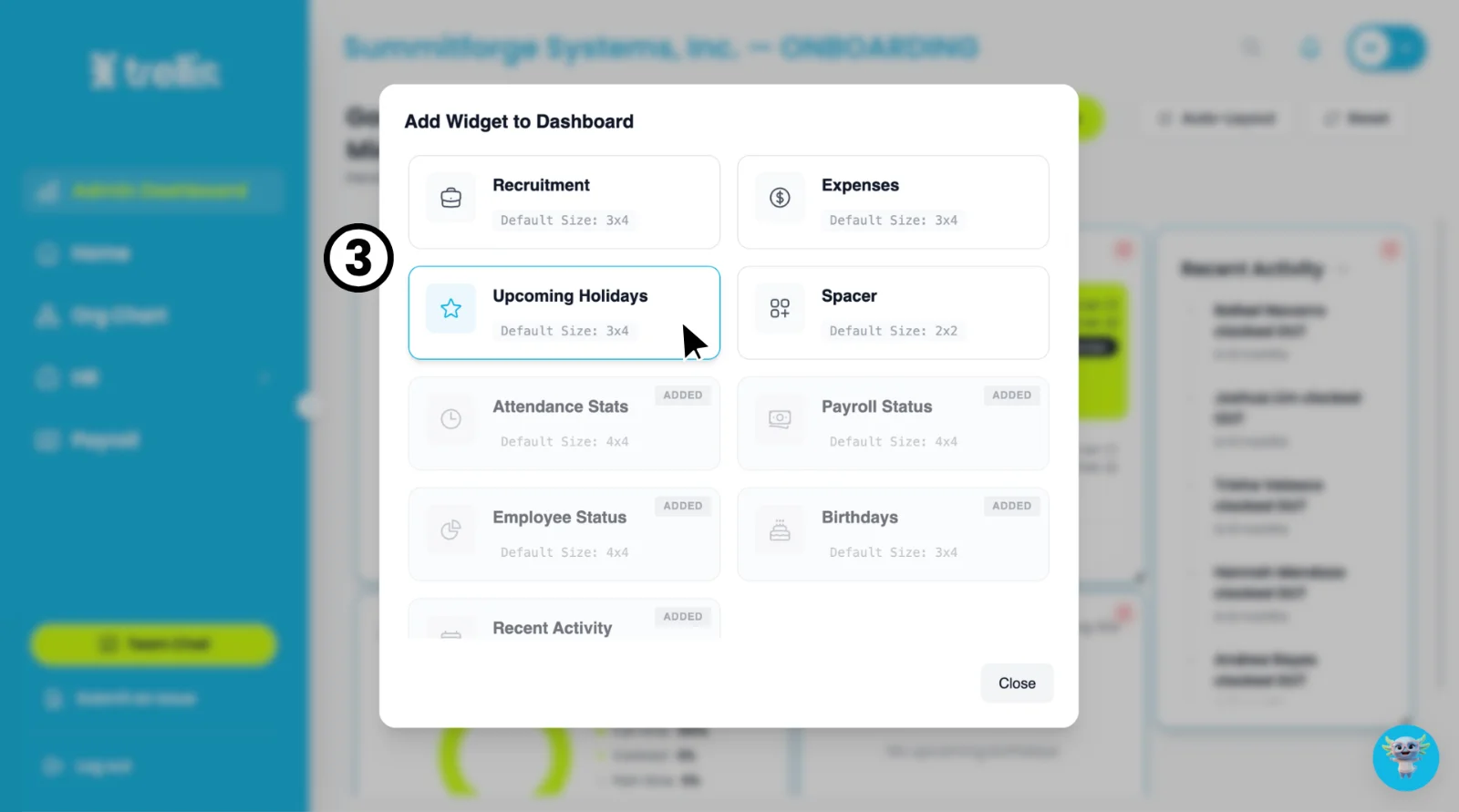
  1. An "Add Widget to Dashboard" window will appear. Select the widget you want to add — widgets already on your dashboard will be marked as "Added."
How to Add a Widget to the Admin Dashboard
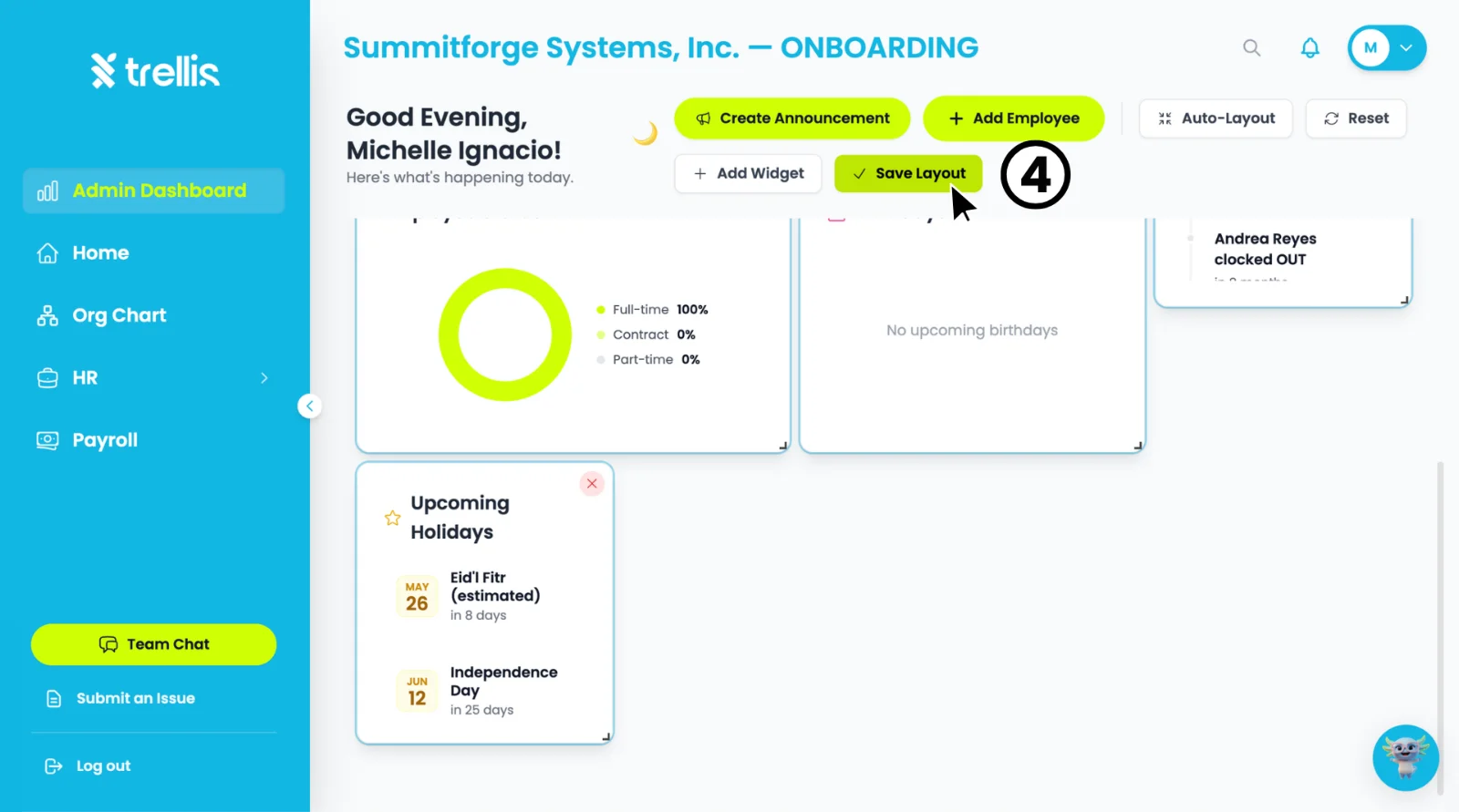
  1. Your selected widget will appear on the dashboard. Click "Save Layout" to apply your changes.
How to Add a Widget to the Admin Dashboard

Other articles in this section

Where Can I View Employee Records? How to Activate an Employee's Login How to Change an Employee Login Email How to Free Up a Seat How to Attach Files to an Employee Profile How to Add an Employee and Activate Their Login
Back to Employee Management