How to Bulk Upload Employees
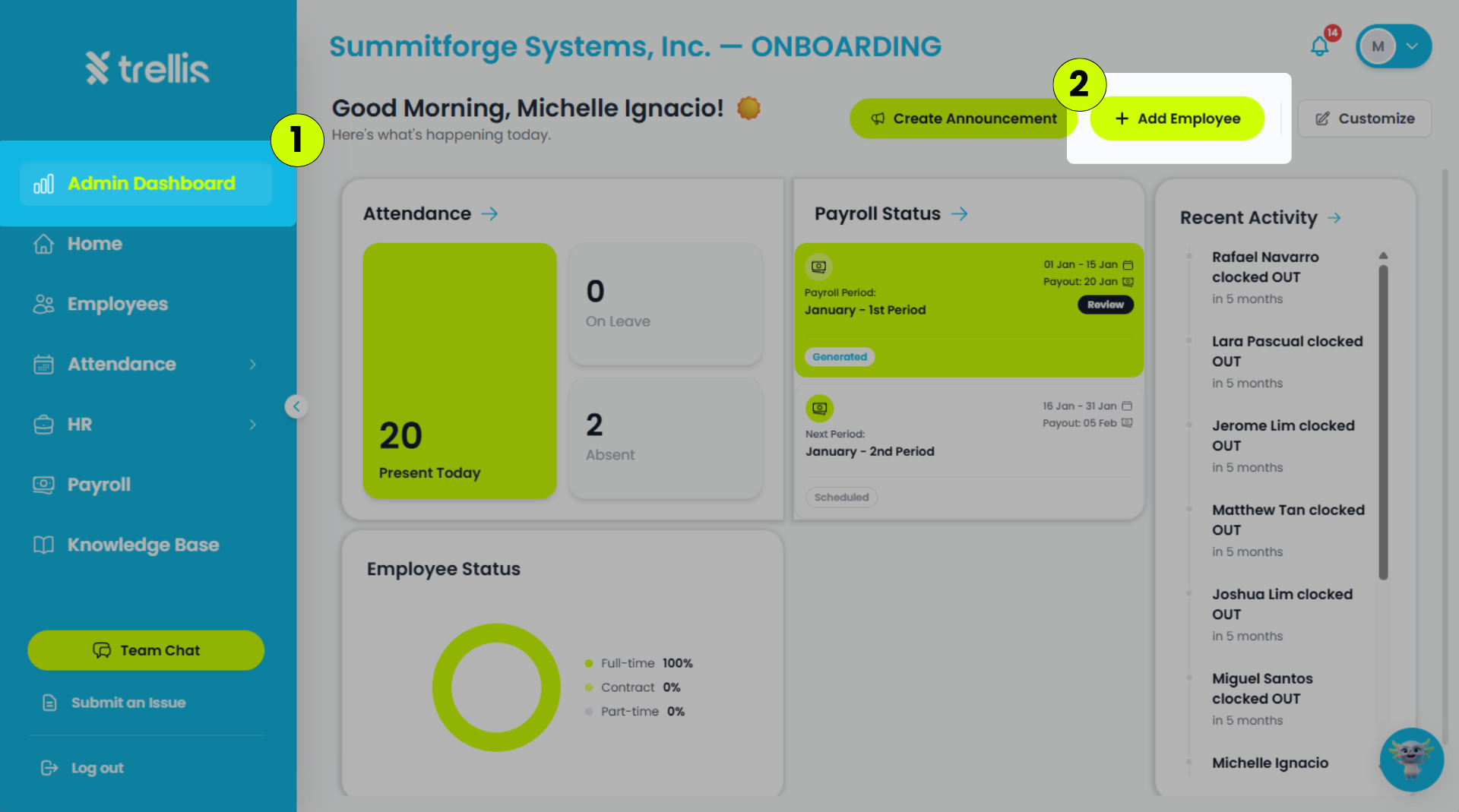
From the sidebar, click "Admin Dashboard."
On the Admin Dashboard page, click "Add Employee."
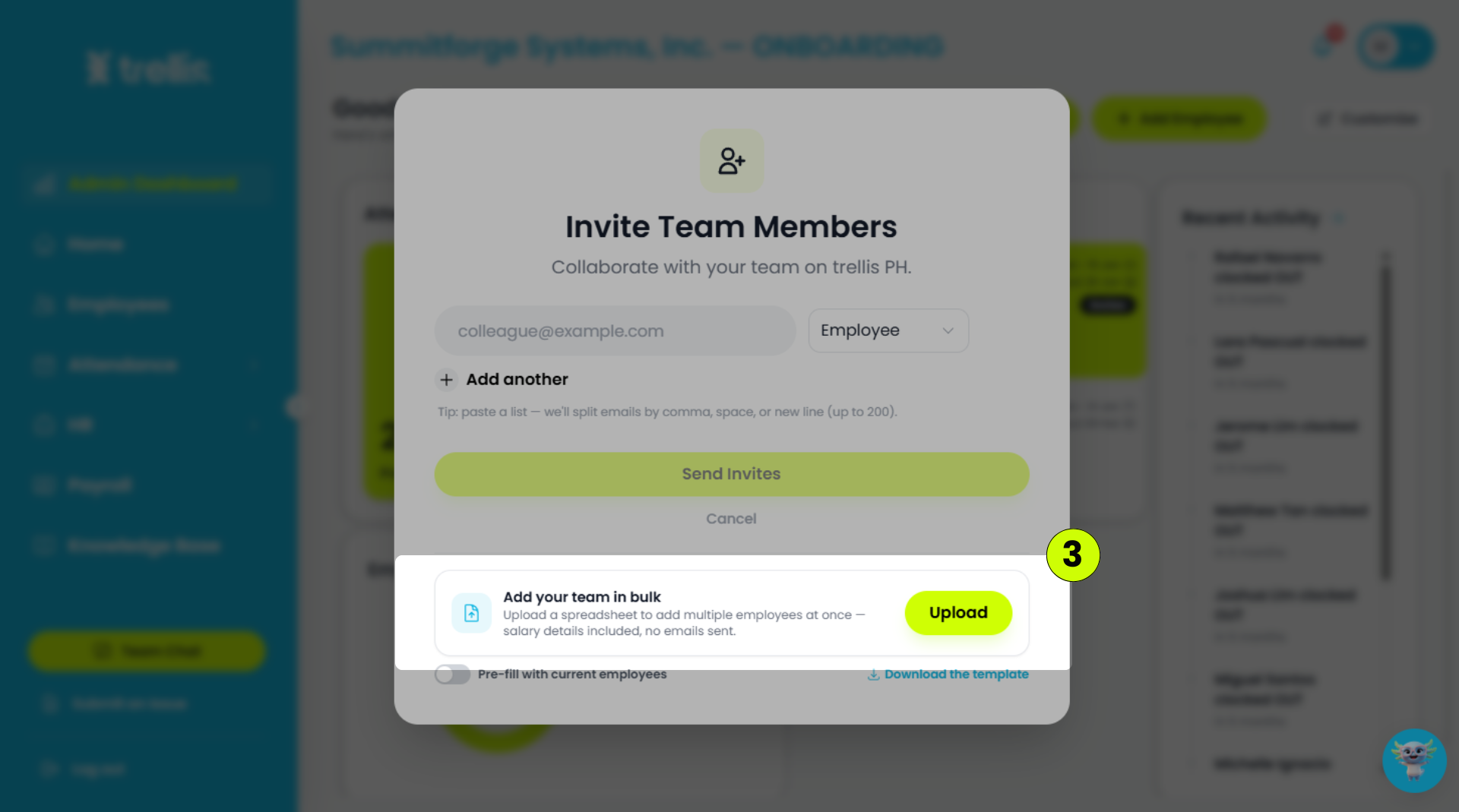
Click "Upload" to start a bulk employee upload.
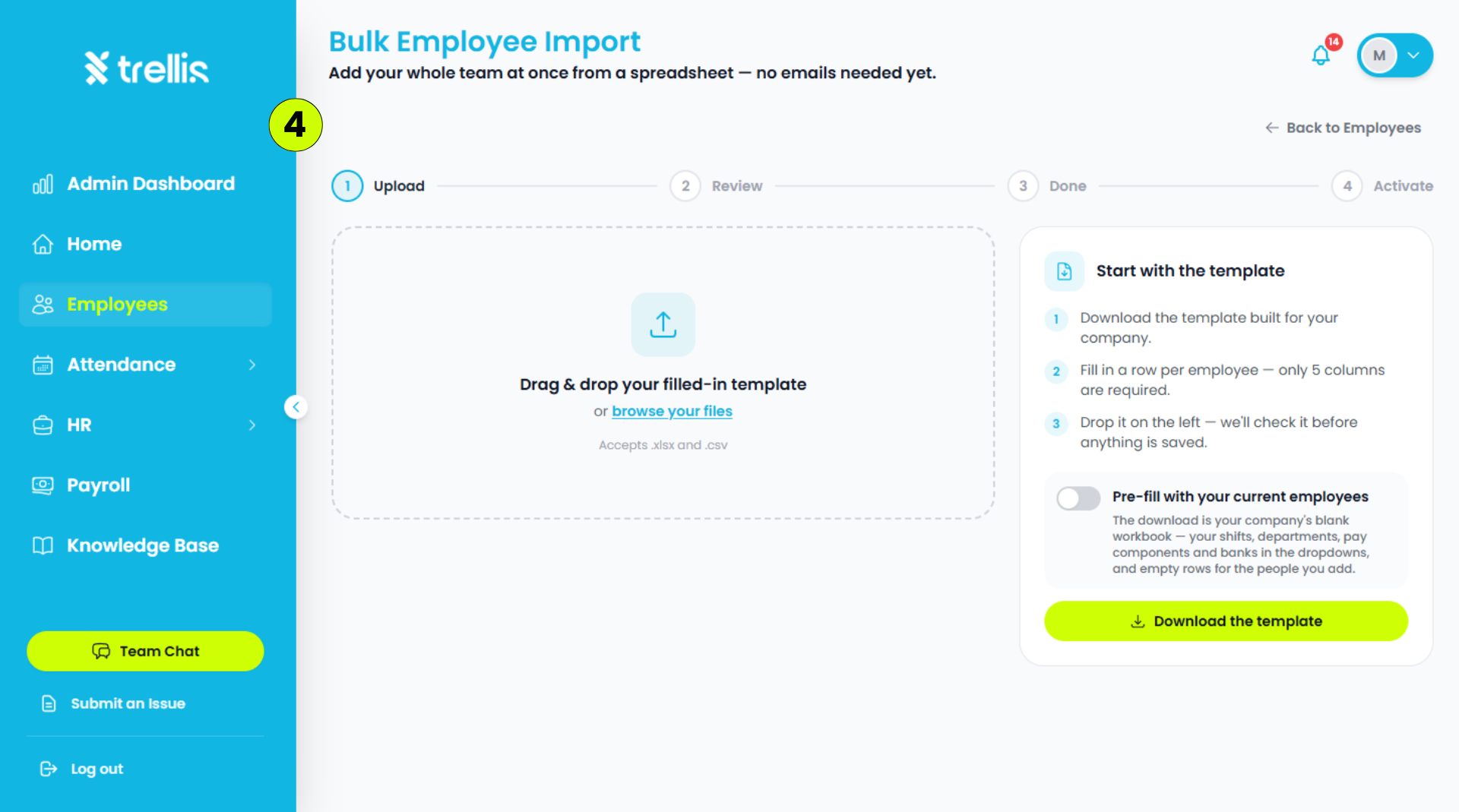
Upload an .xlsx or .csv file containing the employee information. click "Download Template" to use the required file format.
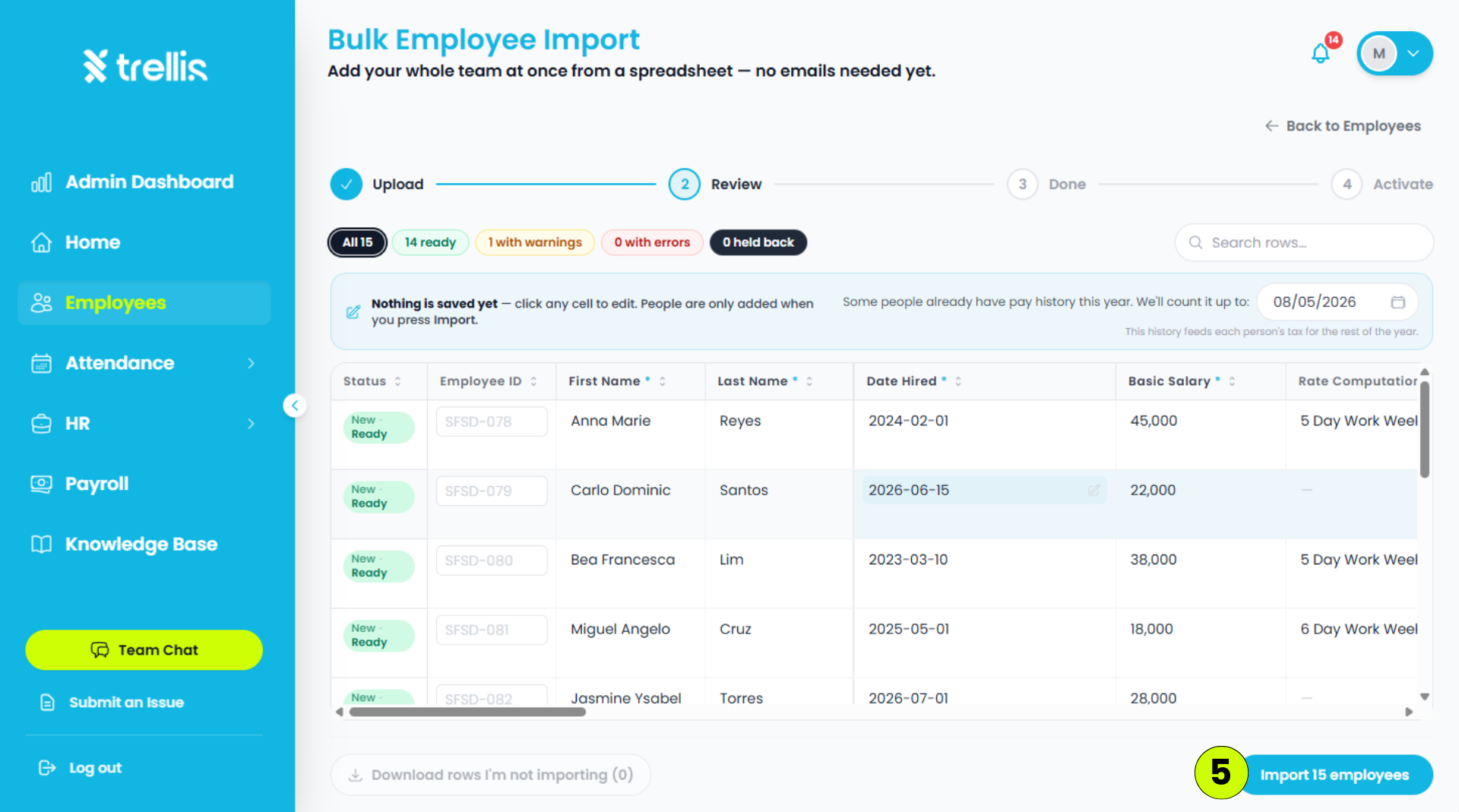
Review the uploaded employee information, then click "Import Employees."
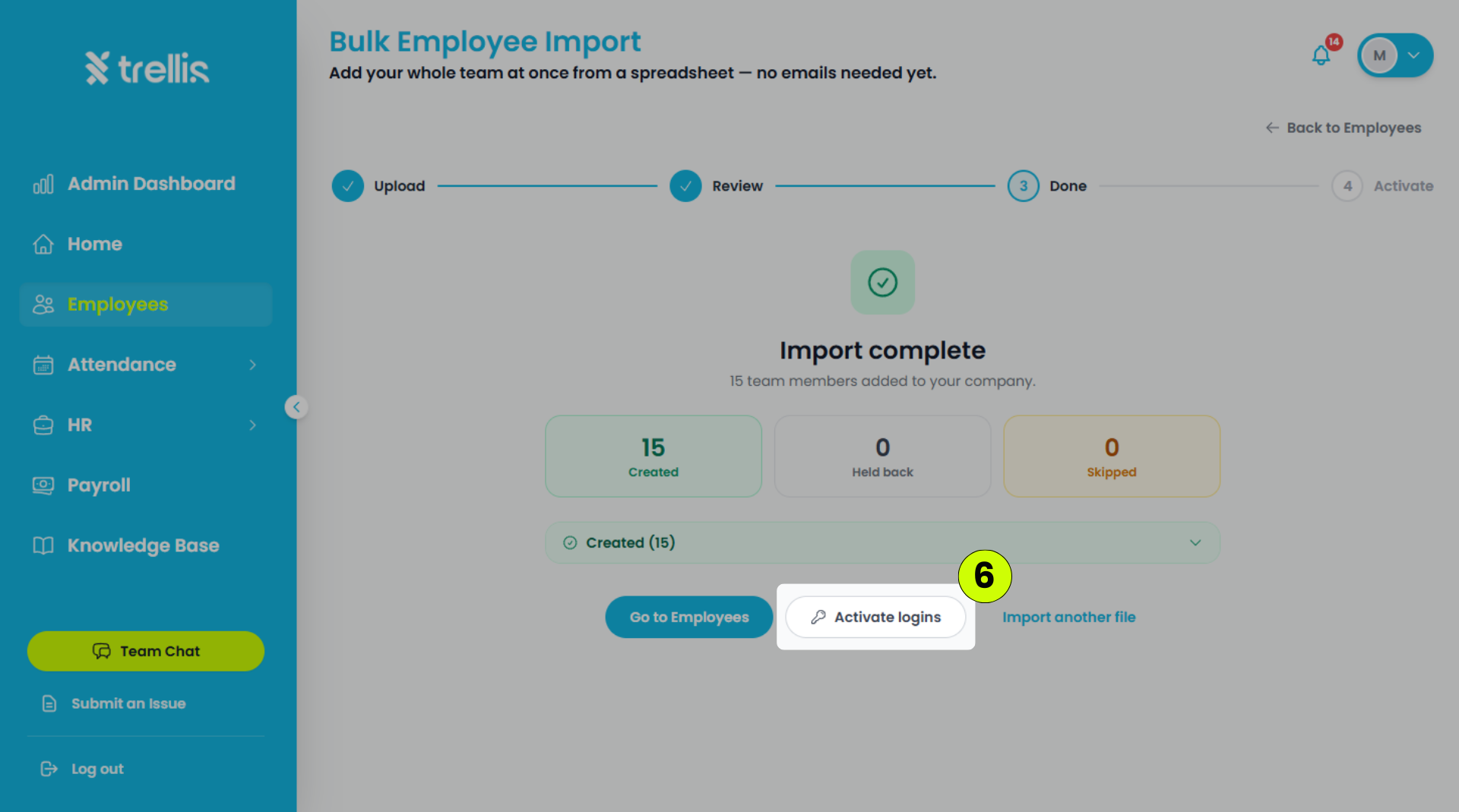
Click "Activate Logins" to create employee accounts.
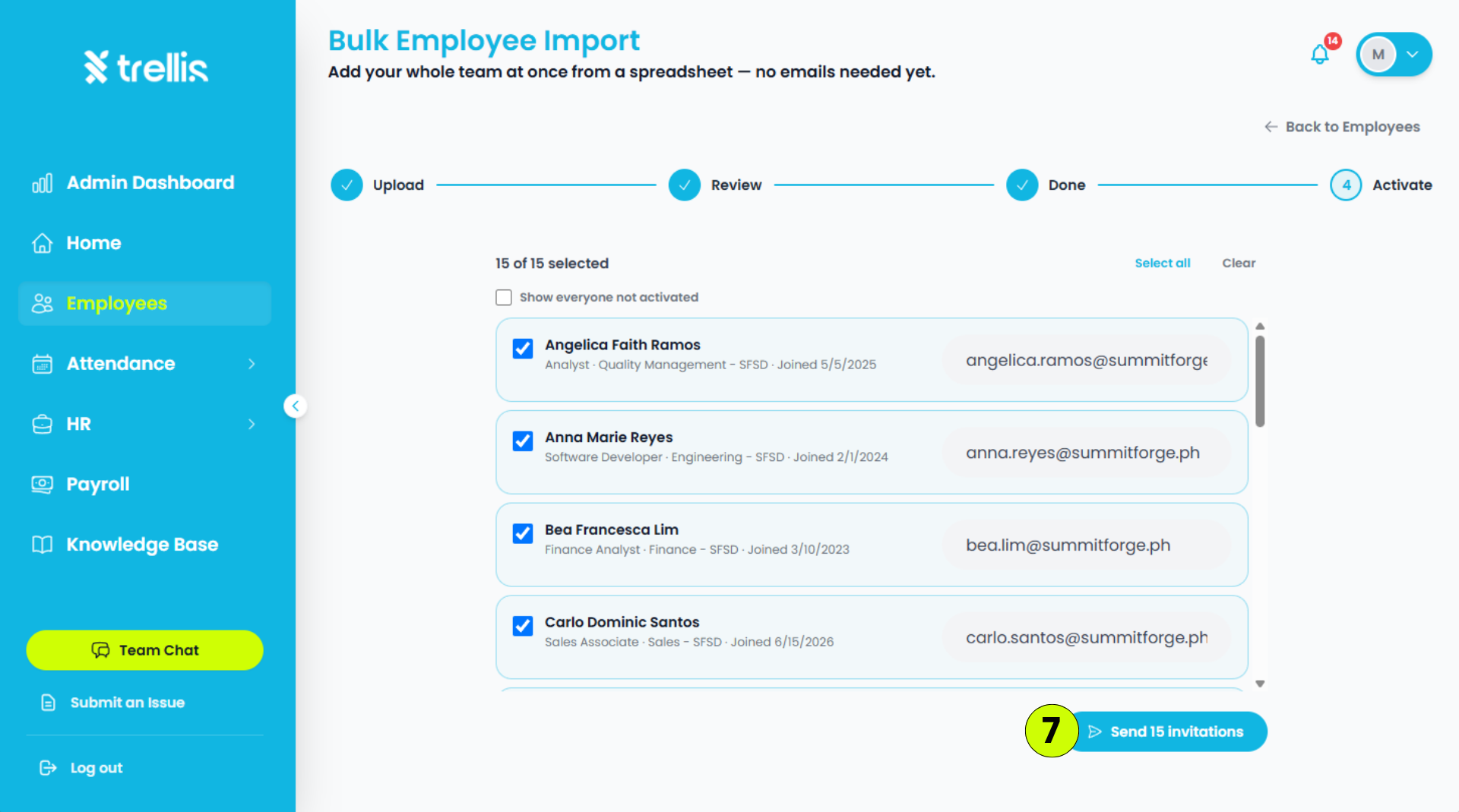
Review the employee list, then click "Send Invitation."
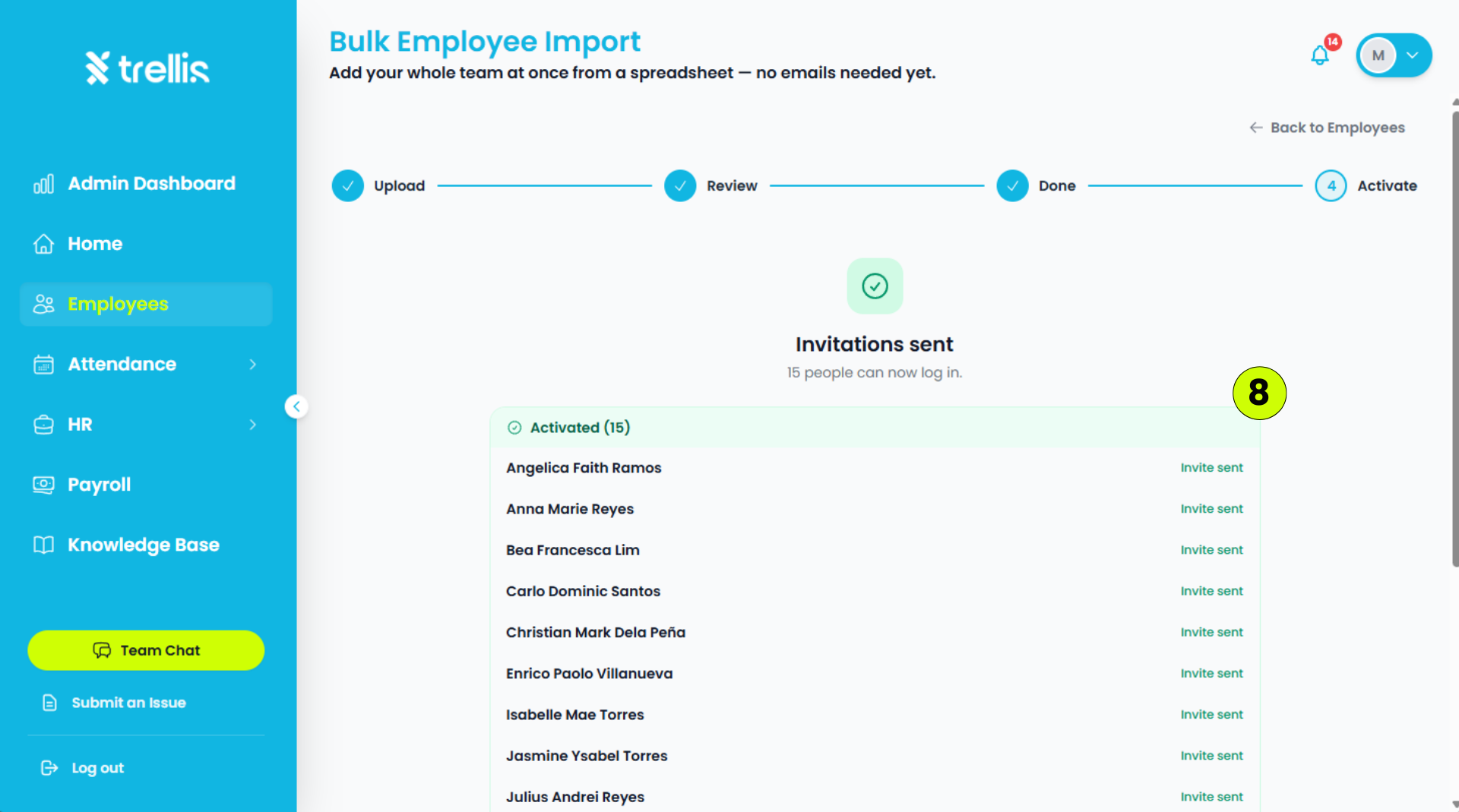
A page will appear, displaying the employees who have successfully received their invitation emails.