Book a Demo
Open Workspace Settings & Privacy Help & Support
Features Pricing Jobs Blog FAQ Affiliate Program Log inOpen Workspace Book a Demo
Employee Management

How to Create an Announcement

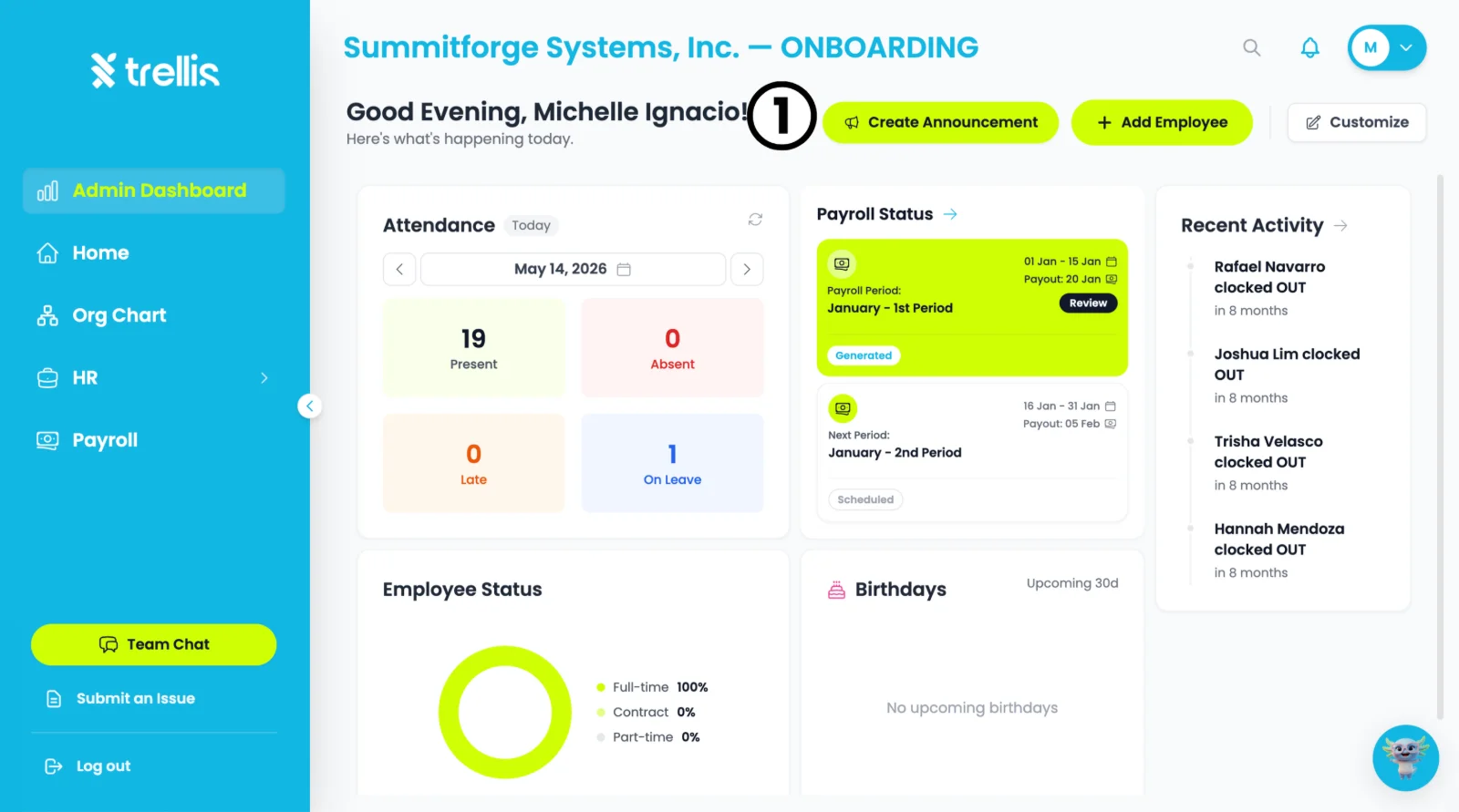
  1. From the “Admin Dashboard”, click the "Create Announcement" button at the top of the page.
How to Create an Announcement
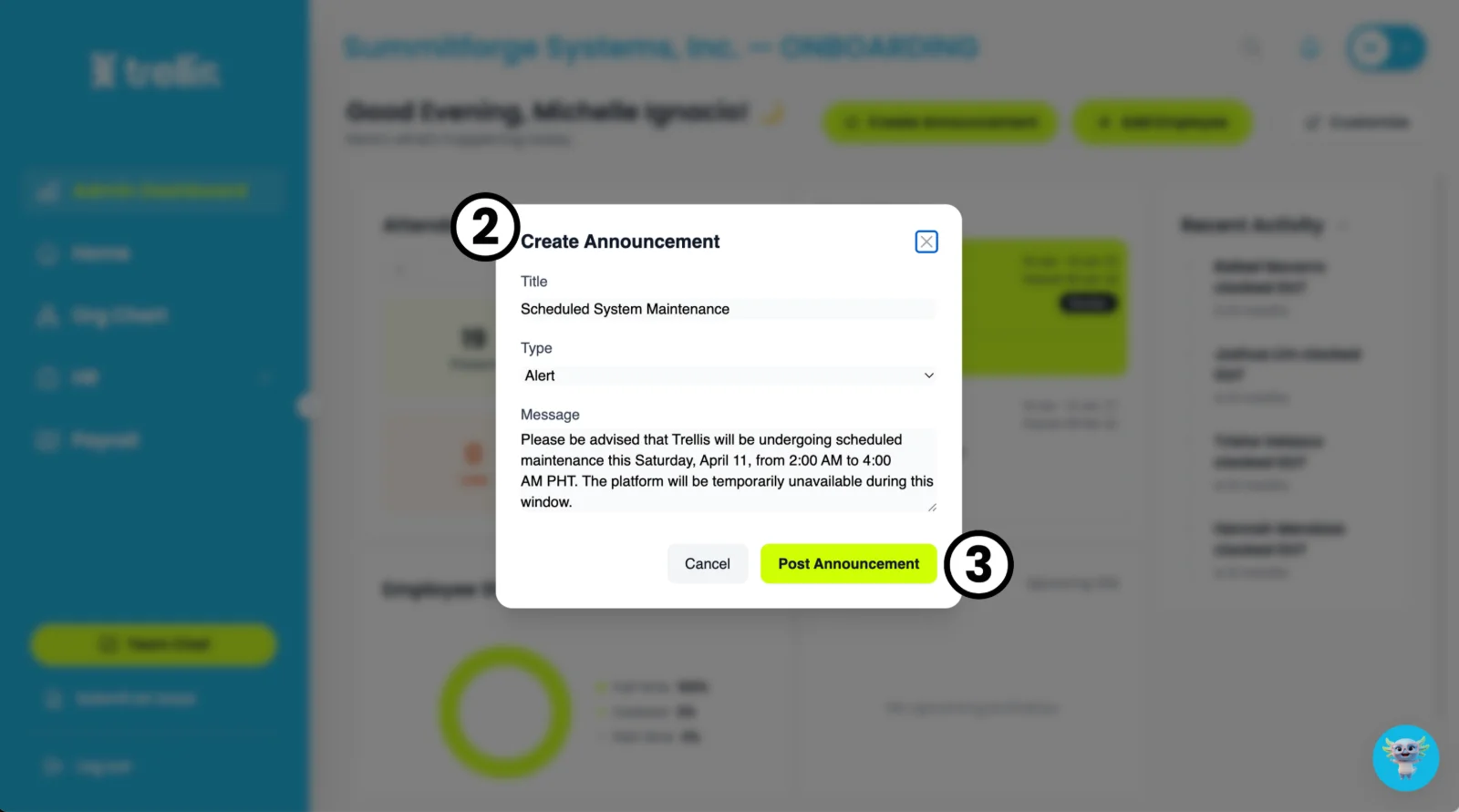
  1. A Create Announcement window will appear. Fill in the Title, select the Type (e.g. Alert), and write your Message in the field provided.

  2. Click "Post Announcement" to publish it to your team.
How to Create an Announcement

A success pop-up appears. Click “OK” to finish.

Other articles in this section

Where Can I View Employee Records? How to Activate an Employee's Login How to Change an Employee Login Email How to Free Up a Seat How to Attach Files to an Employee Profile How to Add an Employee and Activate Their Login
Back to Employee Management