Book a Demo
Open Workspace Settings & Privacy Help & Support
Features Pricing Jobs Blog FAQ Affiliate Program Log inOpen Workspace Book a Demo
Employee Management

How to Update Your Government Details and Emergency Contact

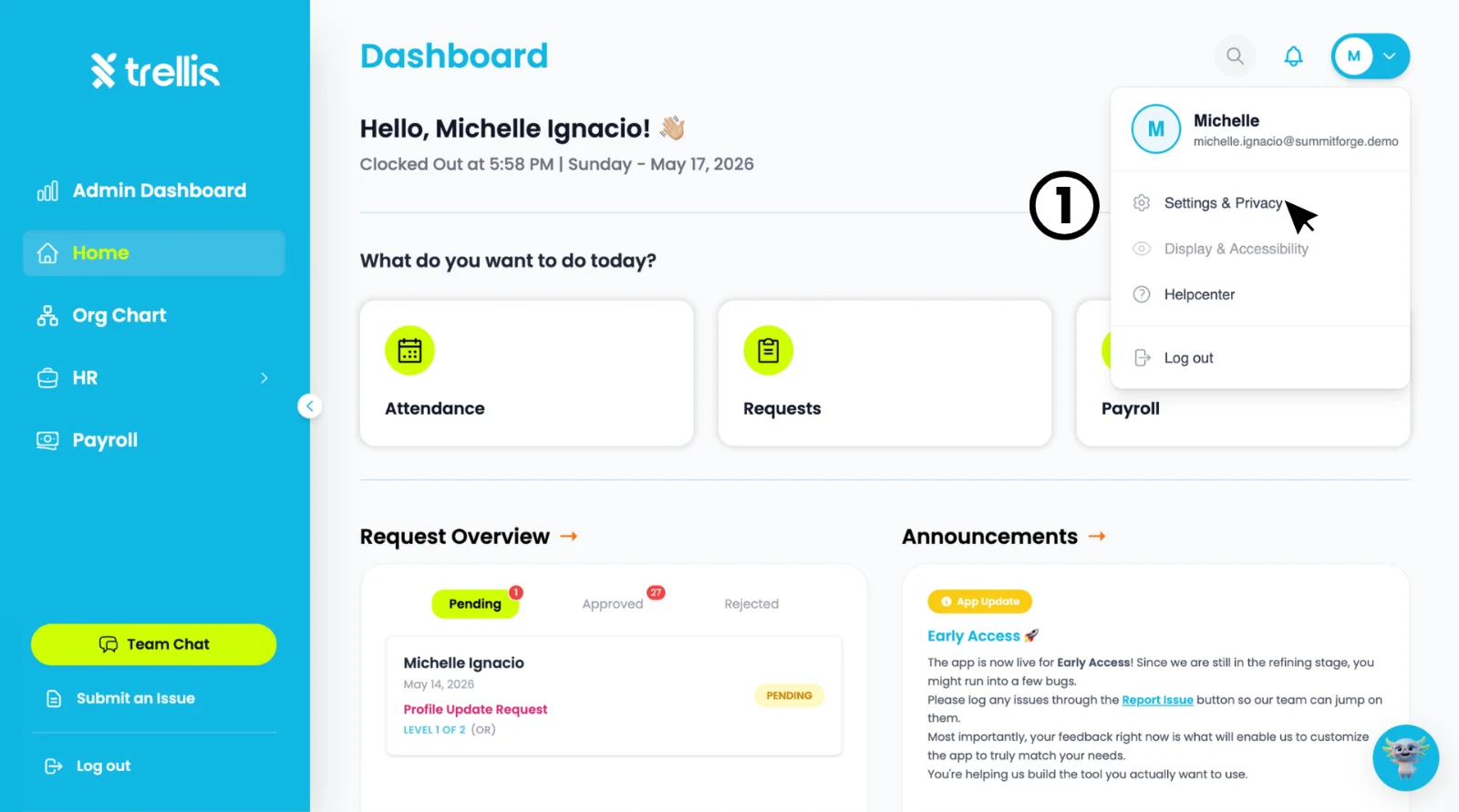
  1. Click your profile icon at the top right corner of the dashboard, then select "Settings & Privacy."
How to Update Your Government Details and Emergency Contact
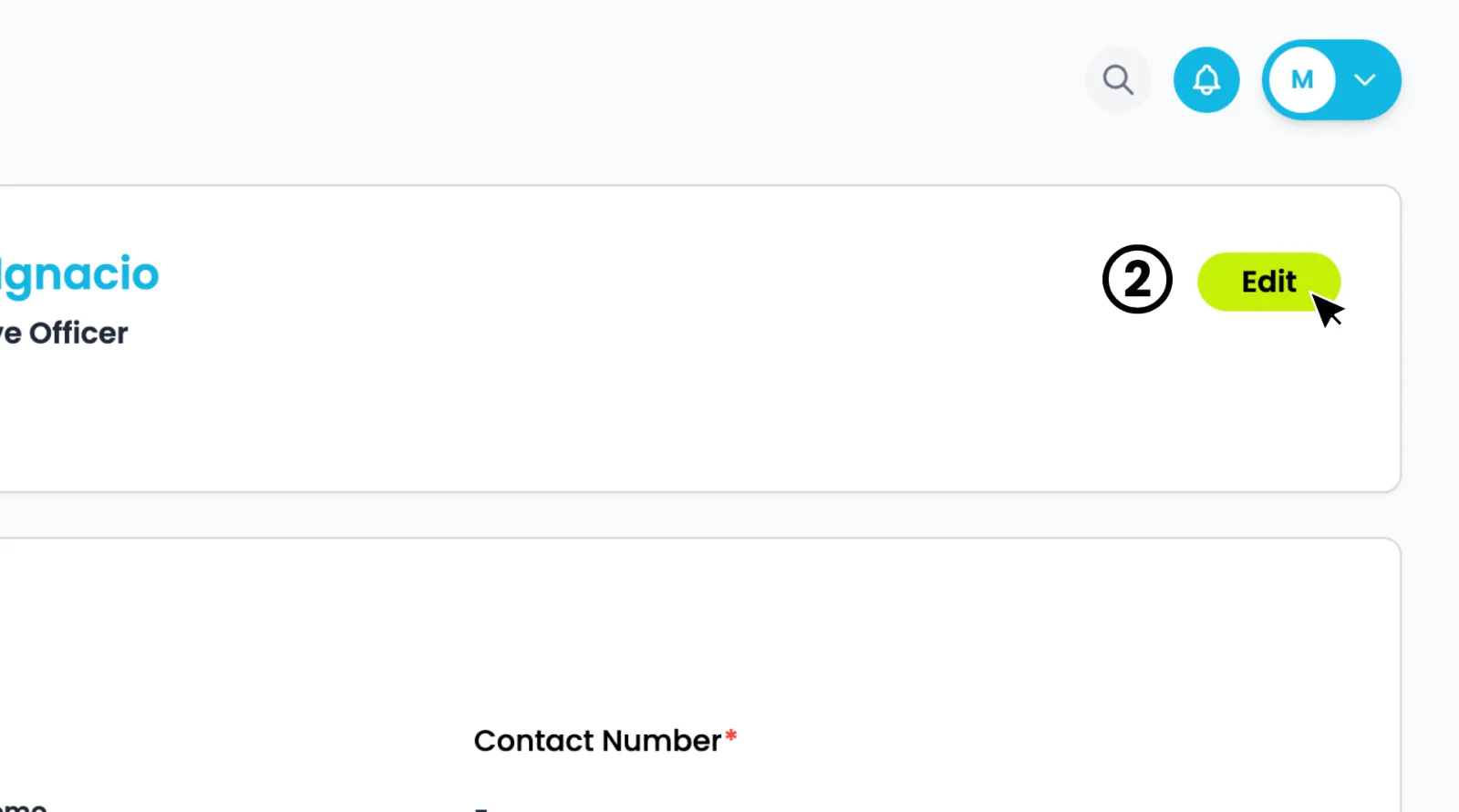
  1. On the ““My Profile page, click the "Edit" button to start editing your profile.
How to Update Your Government Details and Emergency Contact
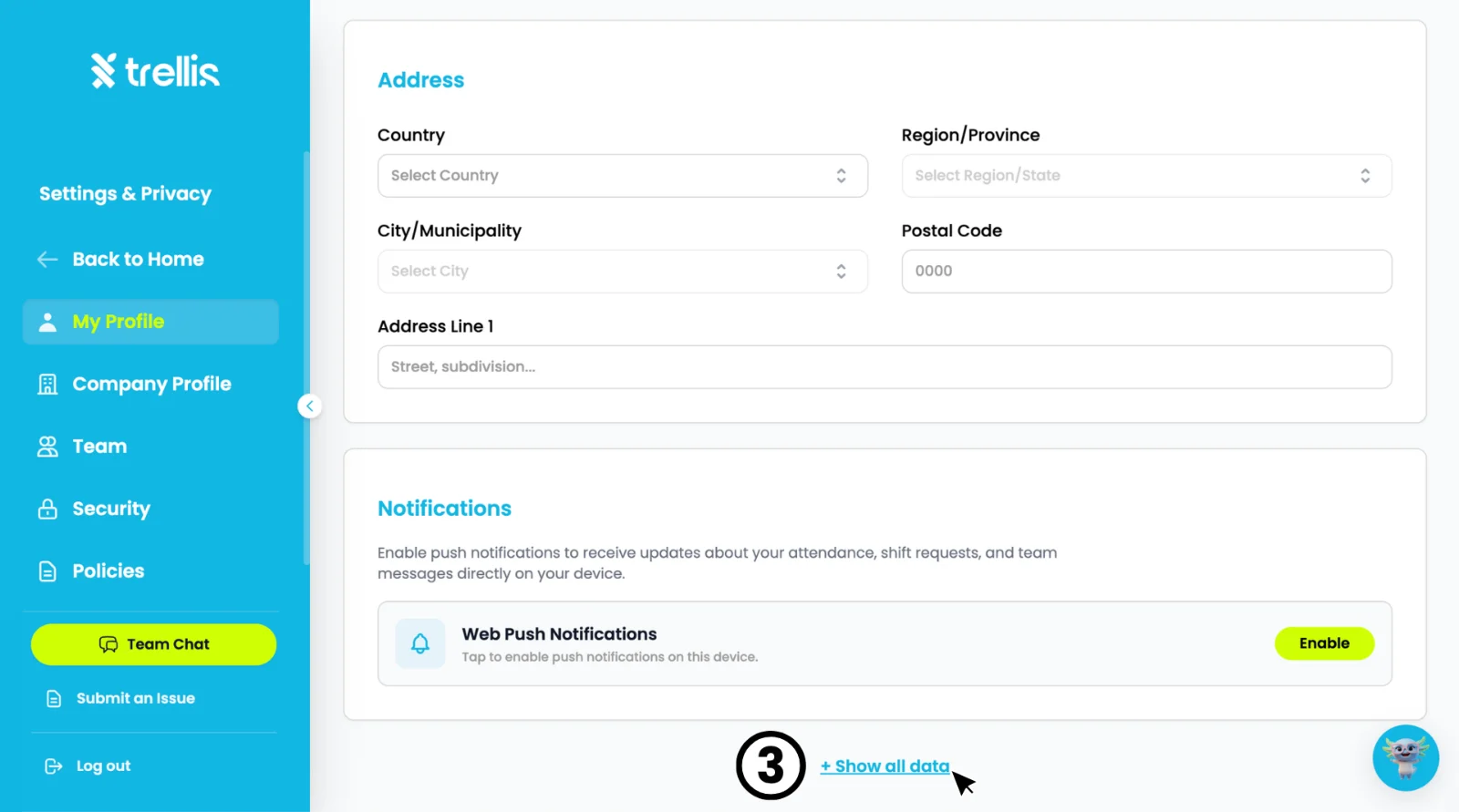
  1. Scroll down and click "+ Show all data" to reveal the additional sections.
How to Update Your Government Details and Emergency Contact
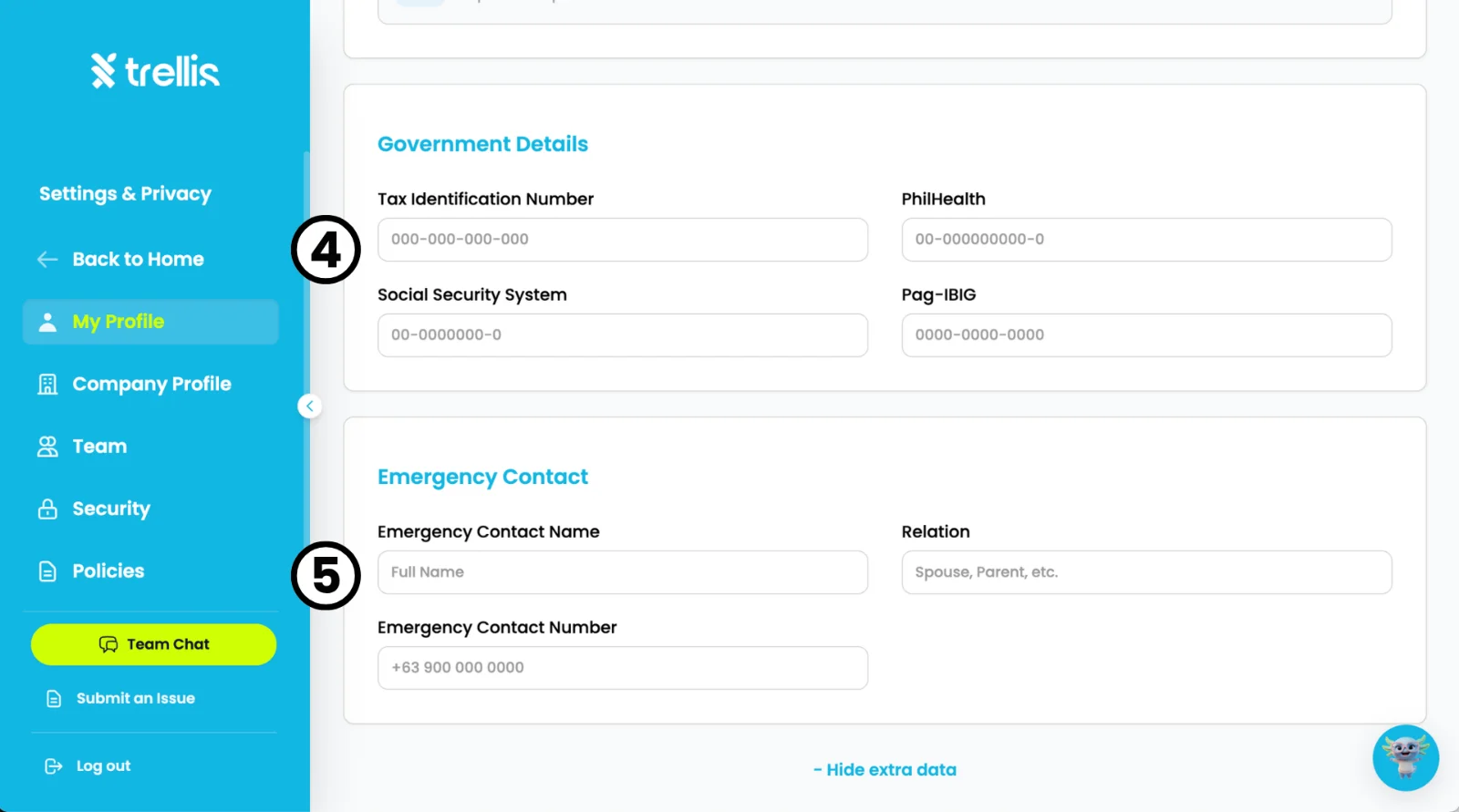
  1. Fill in your "Government Details" including Tax Identification Number, PhilHealth, Social Security System, and Pag-IBIG.

  2. Fill in your "Emergency Contact" details including Full Name, Relation, and Emergency Contact Number. Click "Save" once all changes are complete.
How to Update Your Government Details and Emergency Contact

Other articles in this section

Where Can I View Employee Records? How to Activate an Employee's Login How to Change an Employee Login Email How to Free Up a Seat How to Attach Files to an Employee Profile How to Add an Employee and Activate Their Login
Back to Employee Management