Book a Demo
Open Workspace Settings & Privacy Help & Support
Features Pricing Jobs Blog FAQ Affiliate Program Log inOpen Workspace Book a Demo
Payroll

How Do I Set Up the Company's Payroll System?

  1. From the sidebar, click "Payroll" to open the Company Payroll page.

  2. On the Payroll Details tab, click "Edit Configuration" and update the payroll configuration as needed.
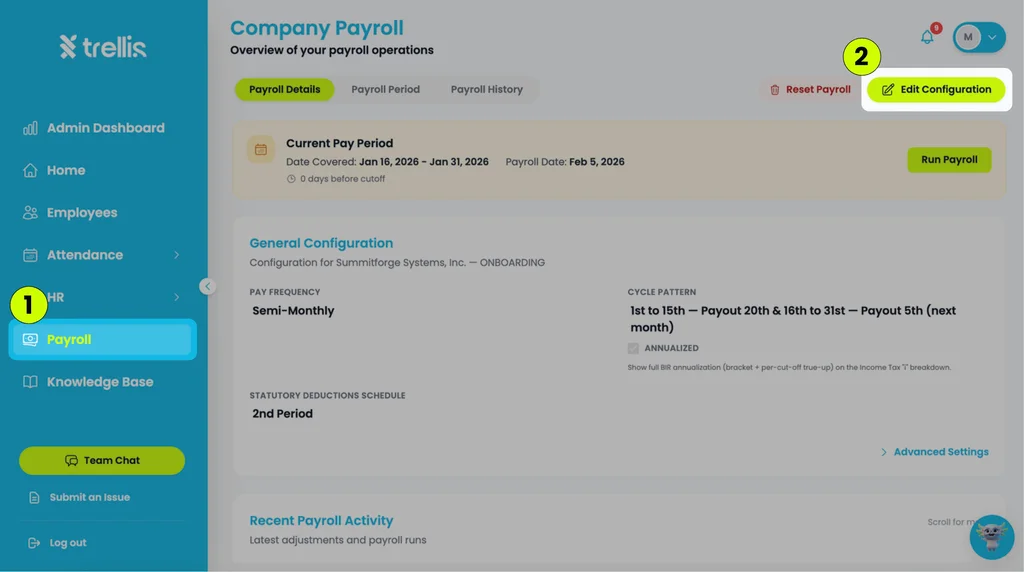
    How Do I Set Up the Company's Payroll System?
  3. For additional customization options, click "Advanced Settings".
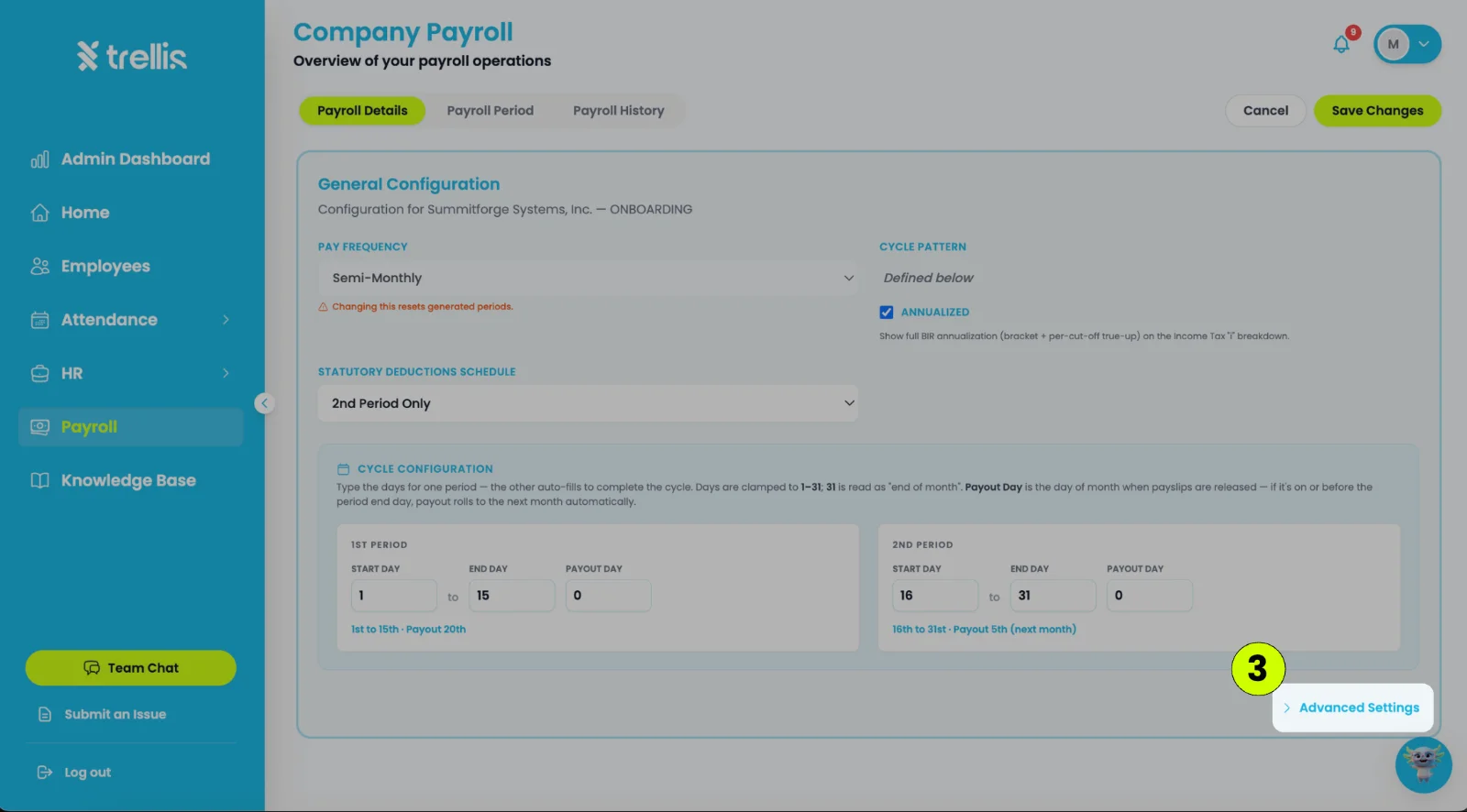
    How Do I Set Up the Company's Payroll System?
  1. click "Save Changes" once all updates are complete.
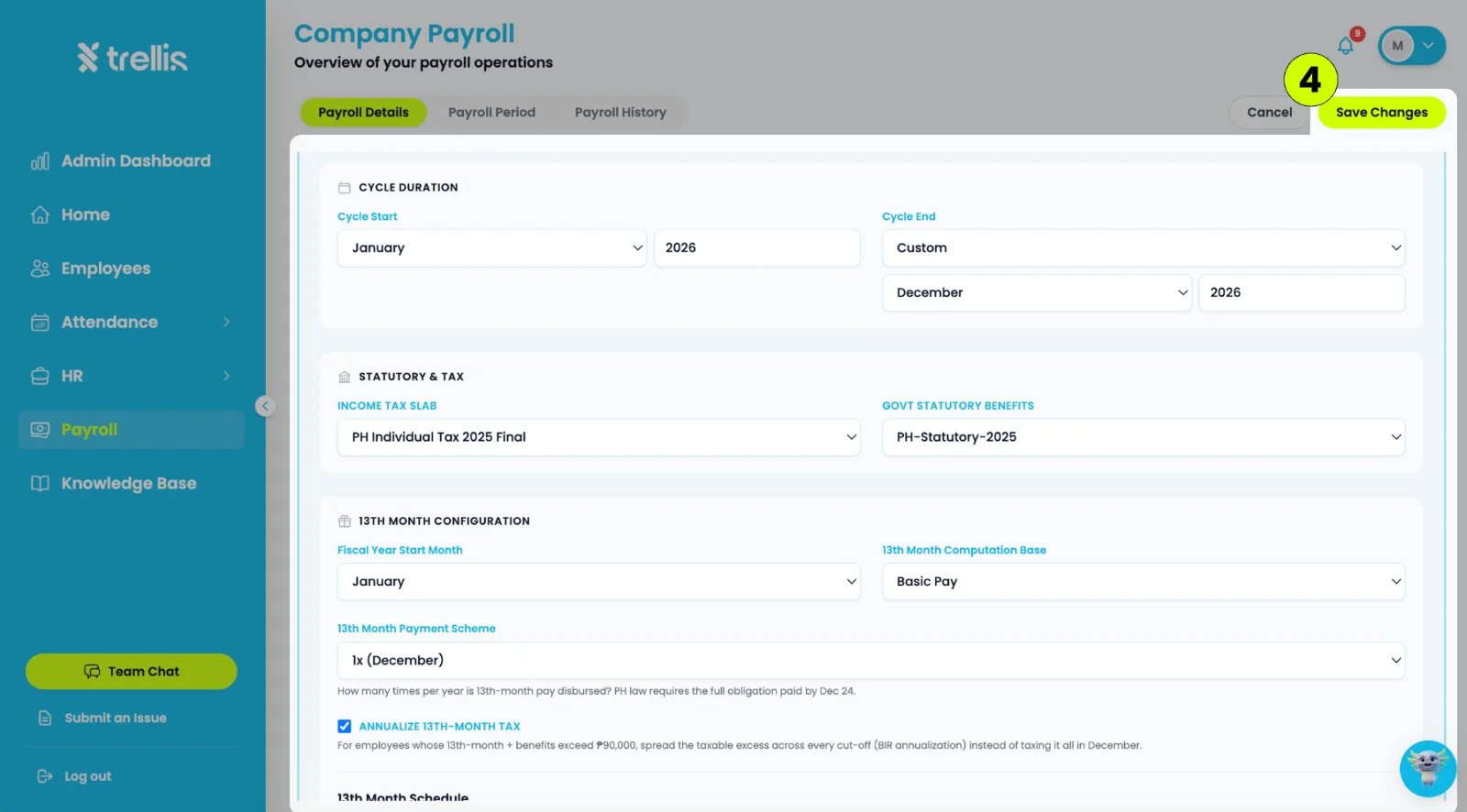
    How Do I Set Up the Company's Payroll System?

Other articles in this section

How Do I Add a One-Time Adjustment to a Cut-off? Should I Waive or Deduct an Absence in Payroll Analysis? How to Change the Payout Date of a Cut-Off How Do I Turn Off Withholding Tax for an Employee? How to Process Payroll What Is a Shift Mismatch in Payroll Analysis, and How Do I Fix It?
Back to Payroll