How to set your security PIN
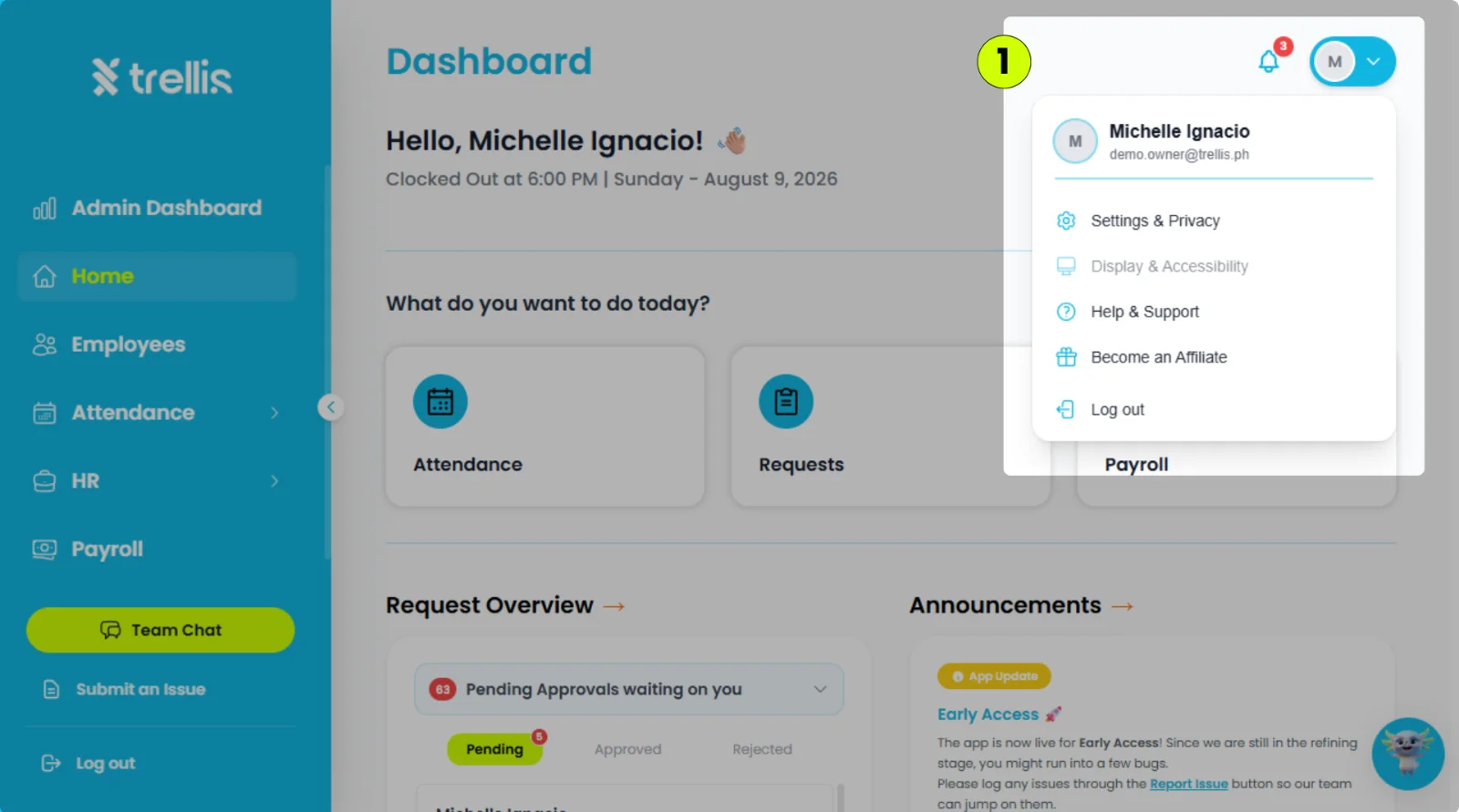
Click your profile icon in the top-right corner, then select "Settings & Privacy."
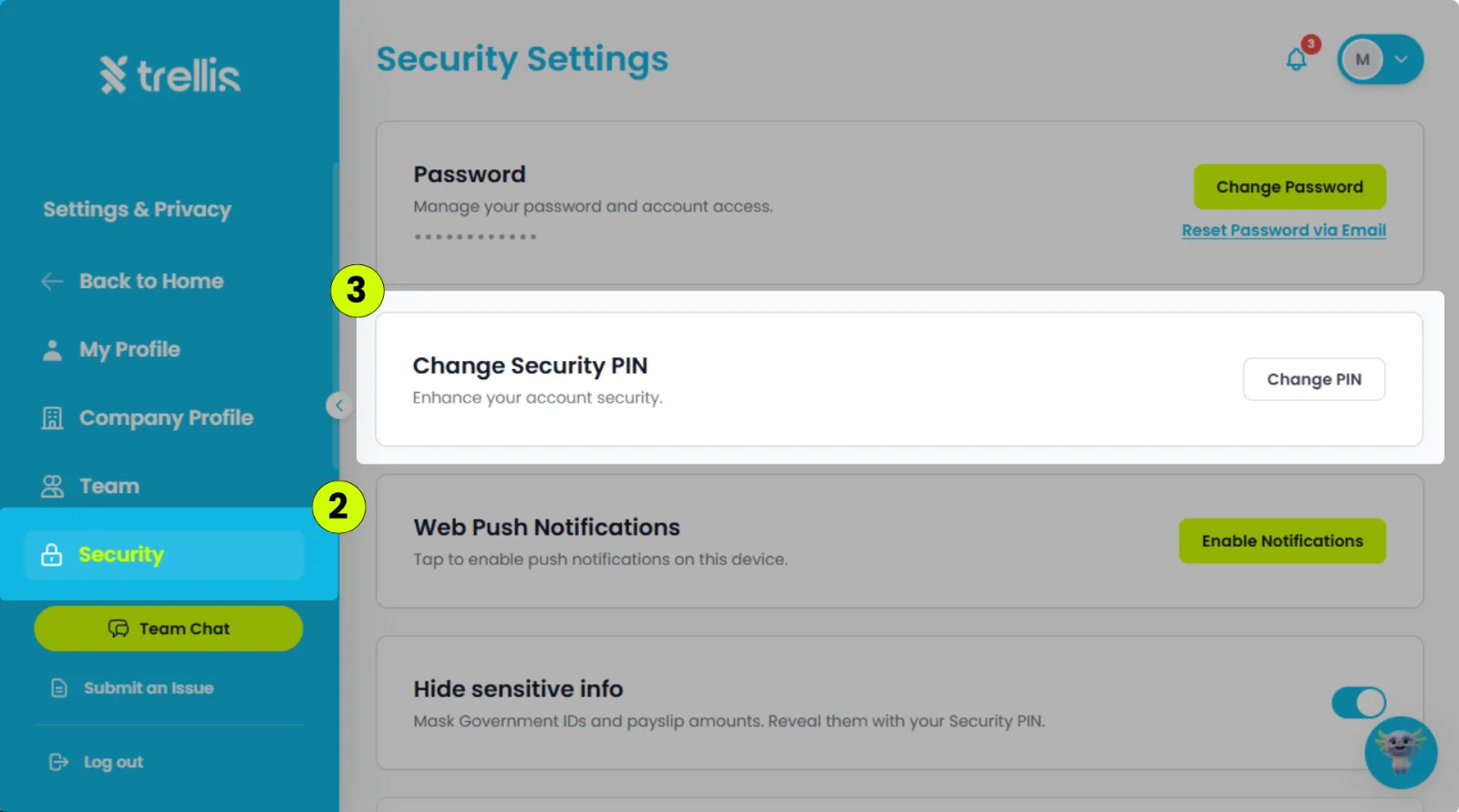
Click the "Security" tab.
In Security Settings, click "Change PIN."
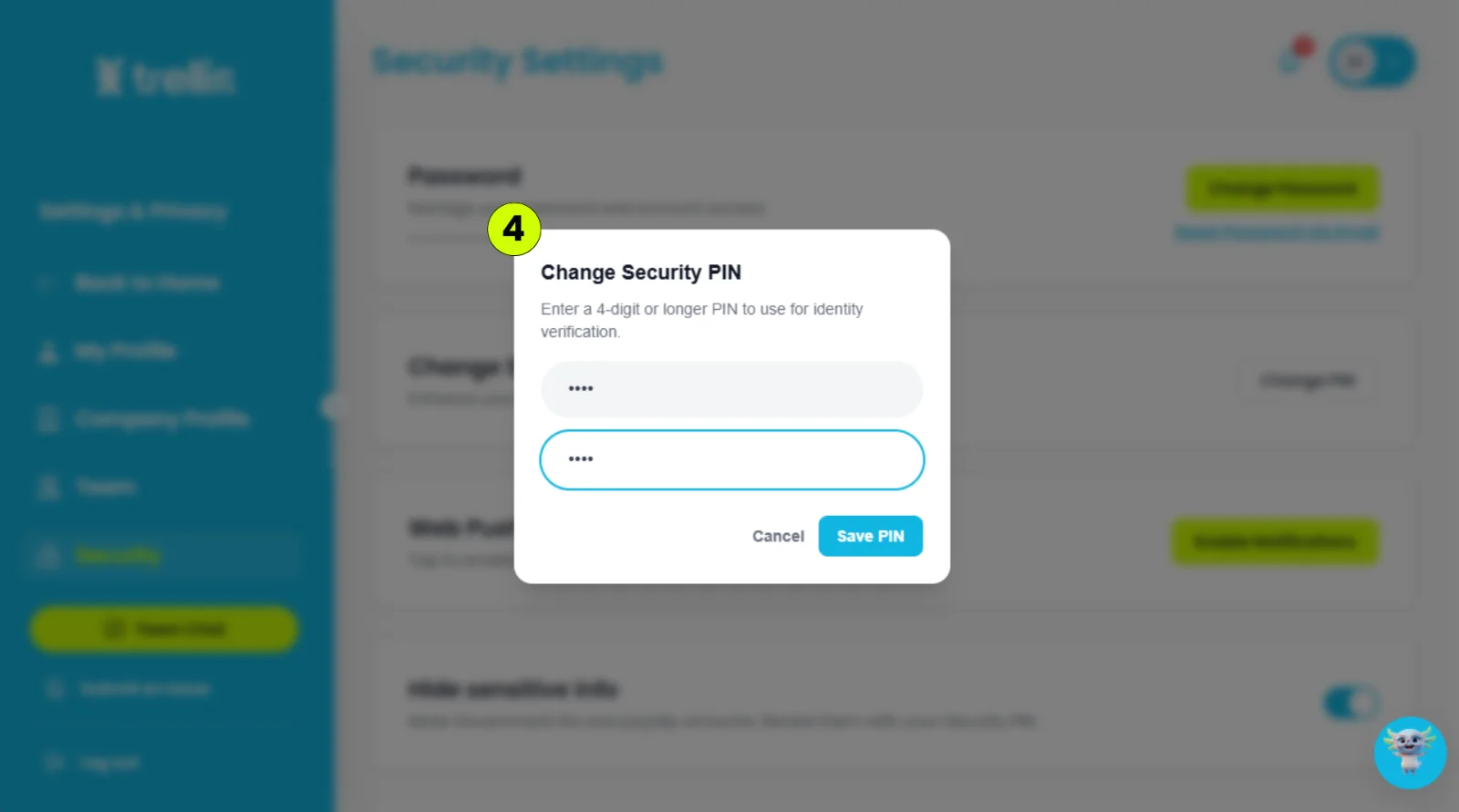
Enter a 4-digit PIN, re-enter it to confirm, then click "Save PIN."

Click your profile icon in the top-right corner, then select "Settings & Privacy."
Click the "Security" tab.
In Security Settings, click "Change PIN."
Enter a 4-digit PIN, re-enter it to confirm, then click "Save PIN."