Book a Demo
Open Workspace Settings & Privacy Help & Support
Features Pricing Jobs Blog FAQ Affiliate Program Log inOpen Workspace Book a Demo
Payroll

How to view active loans

  1. From the sidebar, click "Employees."

  2. On the Employees page, click "View Salary Structure."
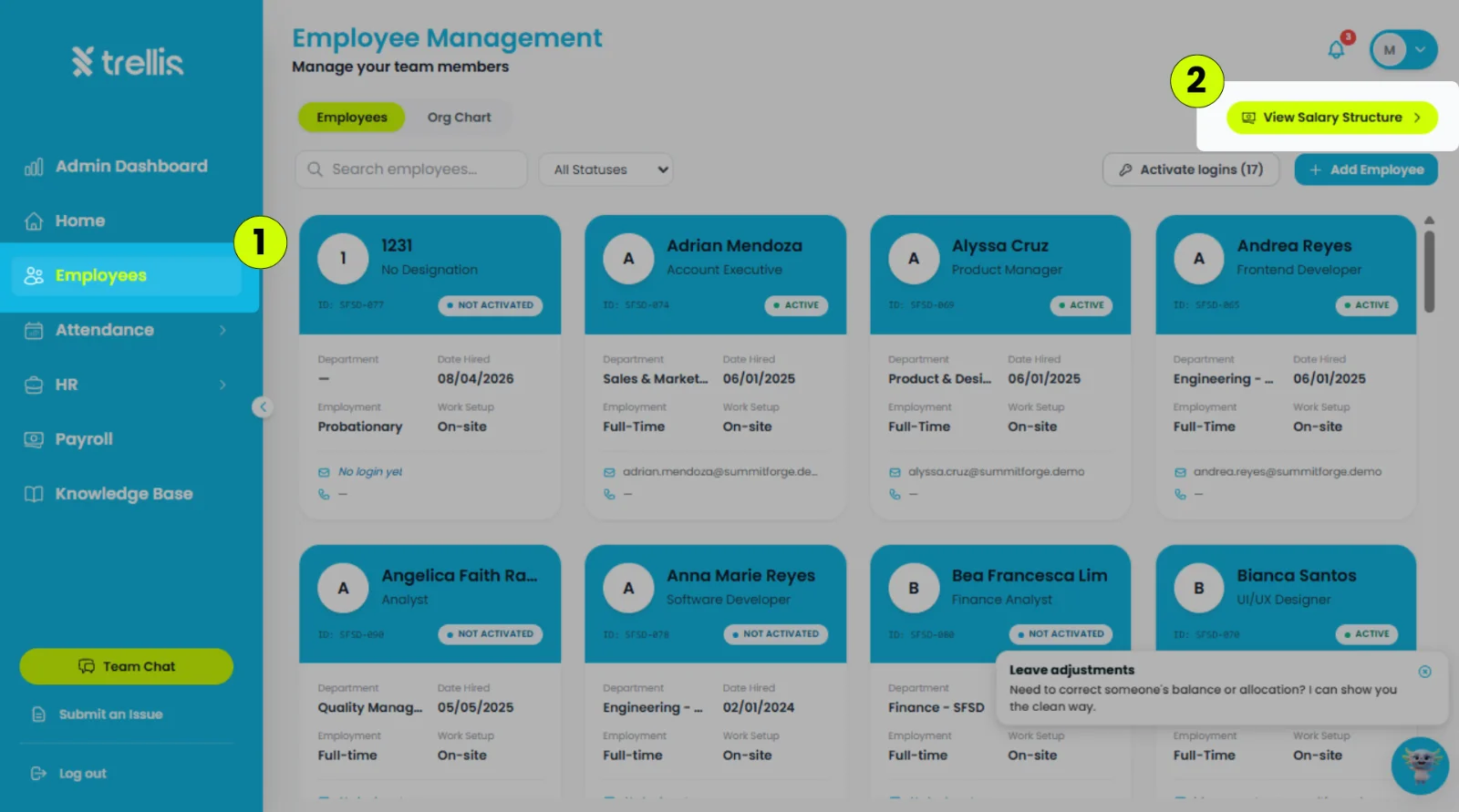
How to view active loans
  1. Click "Active Loans" to view the list of employees with active loans.
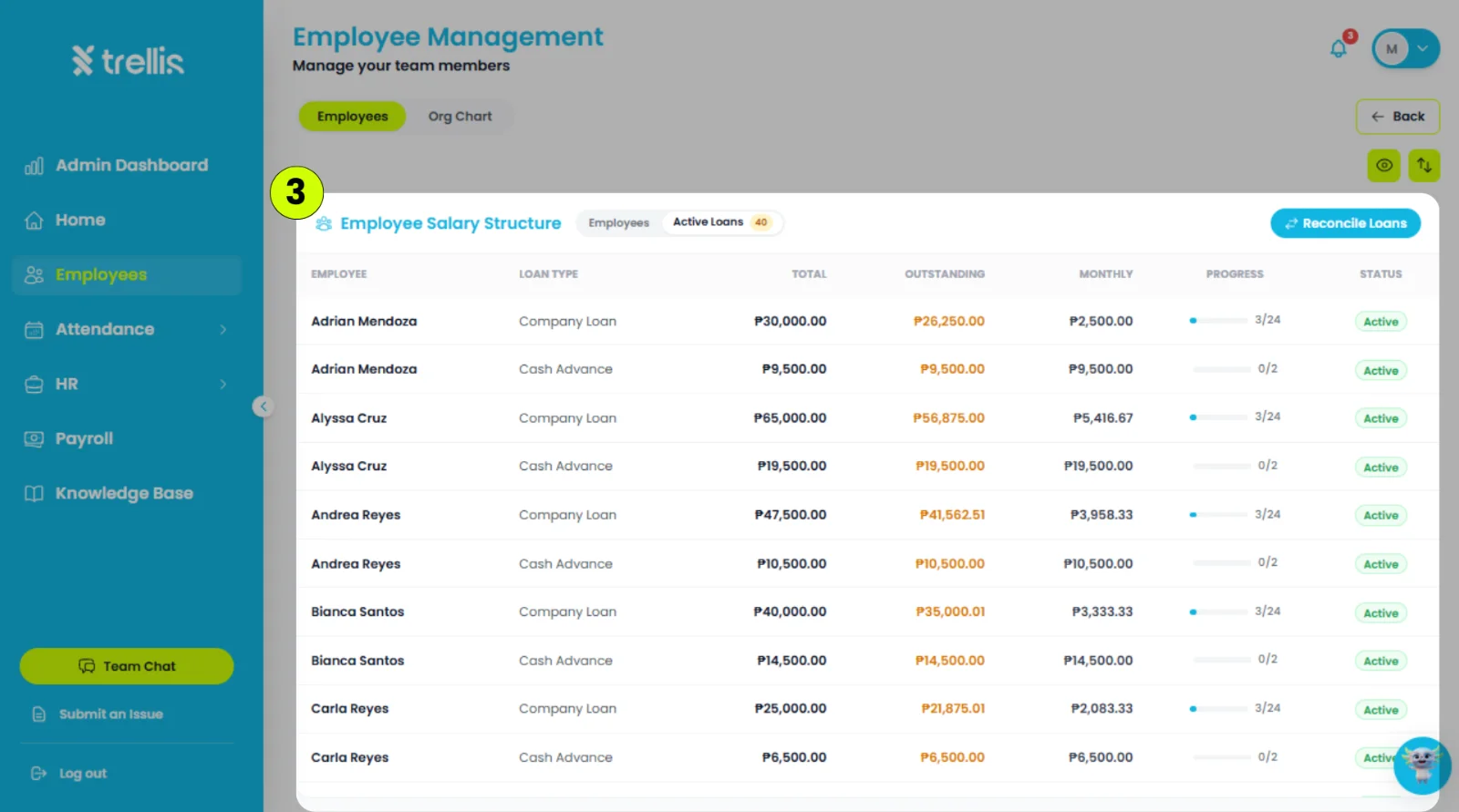
How to view active loans

Other articles in this section

How Do I Add a One-Time Adjustment to a Cut-off? Should I Waive or Deduct an Absence in Payroll Analysis? How to Change the Payout Date of a Cut-Off How Do I Turn Off Withholding Tax for an Employee? How to Process Payroll What Is a Shift Mismatch in Payroll Analysis, and How Do I Fix It?
Back to Payroll